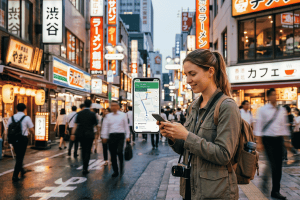
Few things are more frustrating than landing at Changi Airport after an overnight flight, desperately needing to book a Grab car, and finding yourself stuck in a long queue at a physical SIM card kiosk.
Singapore is a hyper-connected city-state. From navigating the sprawling underground MRT system to showing digital tickets at Gardens by the Bay or using your phone to pay via SGQR codes at a Maxwell Food Centre hawker stall, you need internet access practically every minute.
Using an esim singapore package has quickly become the go-to way to get online before you even step off the plane. But not all digital plans are created equal. Some ride on premium local 5G networks, while others route your data through distant servers, causing lagging maps and dropped WhatsApp calls.
To help you avoid the common pitfalls, here is an honest, real-world checklist for setting up your mobile data in Singapore.
1. The Pre-Flight Compatibility & Lock Check
Before you spend a single dollar on a digital data plan, ensure your hardware is actually ready for it.
- Is your device unlocked? If your phone is still on a monthly payment plan with your home carrier, it might be carrier-locked. An eSIM will not work on a locked phone. Call your provider to confirm before you leave.
- Does your phone support eSIM? While most modern iPhones (iPhone XR and newer), Samsung Galaxies, and Google Pixels support digital profiles, budget Android models or phones bought in certain regions (like mainland China or Hong Kong iPhones with dual physical slots) often do not.
- Quick Test: Dial *#06# on your phone’s keypad. If you see an EID number listed on your screen, your device is compatible.


2. Choosing Your Data Needs: Fixed vs. Unlimited
Singapore has incredibly fast infrastructure, but how much data do you actually need for a short city break or a week-long business trip?
- The Light User (3GB to 5GB): Perfect if you just use Google Maps, text on WhatsApp, and book the occasional ride-sharing car. You will rely on your hotel Wi-Fi for backing up photos or streaming video.
- The Heavy User (10GB+ or Unlimited): Necessary if you are upload-heavy on Instagram or TikTok, take video calls for work, or use your phone to hotspot a laptop while working from a cafe in Tiong Bahru.
The “Unlimited” Catch
Be careful with the word “unlimited.” Many popular vacation providers like Holafly offer unlimited packages, but they carry a strict Fair Use Policy (FUP). If you upload too many videos, your speeds can drop to a crawling 128kbps. Furthermore, some unlimited plans block you from tethering or using your hotspot entirely. If you want true flexibility without paying a premium for hidden speed caps, standard high-speed gigabyte packages are often a safer, more transparent bet.
3. Comparing the Market: How Major Providers Stack Up
When shopping around for an esim singapore provider, you will notice a massive range of prices and network qualities. Let’s look at how the main options actually perform on the ground:
| Provider | Network Used | Price/Value Ratio | Best For | Things to Watch Out For |
| Terminal eSIM | Singtel / StarHub | Excellent | Balanced travel, reliable speeds, transparent data | Best to install before flying |
| Airalo | Singtel | Moderate | Brand familiarity | Can get pricey for larger data buckets |
| Ubigi | StarHub / Simba | Good | Budget-conscious light users | App interface can be slightly clunky |
| Holafly | Singtel / StarHub | Expensive | People who want “unlimited” text/browsing | Expensive; hidden speed throttling after heavy use |
4. The Pros and Limitations of Using a Travel eSIM in Singapore
Using digital roaming is incredibly convenient, but a balanced view helps keep expectations realistic.
Pros
- Skip the Kiosk Queues: No waiting in line at Changi Airport after a grueling long-haul flight.
- Keep Your Original Physical SIM Active: Your home number stays inside your phone. This means you can still receive crucial 2FA security texts and one-time passwords (OTPs) from your bank while using your digital plan for internet data.
- No Tiny Plastic Pieces to Lose: You don’t have to carry a paperclip or risk dropping your home SIM card into the airplane seat cushions.
Things to Know
- Data-Only Packages: Most travel options do not include a local phone number. You cannot make traditional landline phone calls or send SMS texts. For booking restaurants or calling a taxi, you will need to rely on apps like WhatsApp, Telegram, or Grab.
- Installation Needs Wi-Fi: You cannot activate a digital SIM plan using a cellular connection that isn’t working yet. You must be connected to solid Wi-Fi (either at home before departing or using the free Changi Airport Wi-Fi on arrival) to scan the QR profile code.
5. Our Recommendation: Terminal eSIM
For an optimal blend of performance, affordability, and simplicity, Terminal eSIM is an excellent choice for a trip to Singapore.
Unlike providers that route your internet traffic halfway across the globe—resulting in frustrating latency when trying to reload your navigation maps—Terminal eSIM links directly into top-tier local infrastructure. You get crisp, instantaneous loading times whether you are deep underground on the Downtown MRT line or walking amidst the concrete skyscrapers of the Central Business District.
The checkout process is straightforward, the pricing lacks hidden fees, and you won’t find your connection suddenly throttled right when you need to navigate back to your hotel.
6. Real Traveler Scenarios: Setting Up Step-by-Step
To guarantee you hit the ground running, follow this timeline strategy:
Step 1: Buy and Install Before You Fly
Purchase your esim singapore package a day or two before your trip. Follow the email instructions to add the cellular profile to your phone.
Pro Tip: Label this new profile “Singapore Data” in your settings so you don’t confuse it with your home plan. Keep the new line turned OFF for now.
Step 2: On the Airplane (Cruising Altitude)
While in the air, go into your phone’s cellular settings. Turn off data roaming on your primary home network line to avoid unexpected, sky-high roaming bills from your home carrier.
Step 3: Landing at Changi Airport
Once the plane wheels touch the tarmac, turn ON your “Singapore Data” line. Ensure that Data Roaming is enabled specifically for that profile. Within a minute, your phone will search, find the local cell towers, and connect. You are now free to message family, check terminal maps, or order a ride.
Frequently Asked Questions
Can I use the Grab app with a data-only eSIM?
Yes! Grab identifies your account via your profile login, not your current data connection. As long as you have an active internet link, you can message drivers, track your path, and pay digitally.
Will my Singapore eSIM allow me to hotspot my laptop?
With Terminal eSIM, yes. However, if you buy an alternative “unlimited” option from other providers, make sure to read the fine print, as many of them block mobile hotspot capabilities.
What should I do if my data isn’t working when I arrive?
First, ensure that “Data Roaming” is toggled on for your travel profile. If it still won’t connect, try restarting your phone or turning Airplane Mode on and off to force the device to re-register with the local network.
The Checklist Summary for Success
- Confirm your phone is carrier-unlocked and compatible.
- Select a transparent, high-speed data package rather than an expensive, throttled unlimited plan.
- Install the profile at home while connected to stable Wi-Fi.
- Keep your home line on for banking OTPs, but disable its data roaming.
- Turn on your travel data line the moment you touch down.
Ready to explore the Lion City without worrying about internet connectivity? Secure your data plan early and enjoy everything Singapore has to offer from the second you arrive.