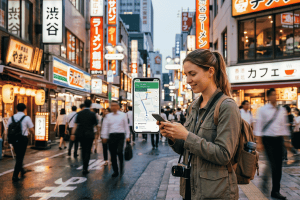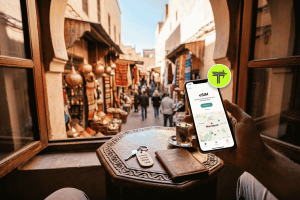
The frantic search for a local SIM card shop begins, often leading to language barriers, confusing registration processes, and the risk of overpaying. This all-too-common travel hassle can now be a thing of the past, thanks to eSIM technology.
An eSIM, or embedded SIM, is a digital version of the traditional physical SIM card. It’s built directly into your device, allowing you to activate a cellular plan from a provider without needing to insert a physical card. For travelers, this means instant connectivity upon arrival, the flexibility to switch between plans, and an end to the inconvenient SIM card swap.
This guide will show you how to travel smarter with an eSIM. We will explore seven expert tips to help you maximize your eSIM data abroad, ensuring you stay connected affordably and efficiently. By understanding how to manage your data, you can focus on what truly matters: soaking in every moment of your journey.
1. Understand Your Data Needs Before You Go
The first step to maximizing your eSIM data is to accurately estimate how much you’ll actually use. Buying too much data means wasted money, while underestimating can leave you disconnected at a critical moment. Your data consumption habits at home might differ significantly from your habits while traveling.
How to Audit Your Data Usage
Before you even book your flight, take a look at your current mobile data usage. Most smartphones have a built-in feature that tracks data consumption by app.
- On iPhone: Go to Settings > Cellular or Settings > Mobile Data. Scroll down to see a list of apps and the data each has consumed during the current billing period.
- On Android: Go to Settings > Network & Internet > Data Usage. You can view your total usage and a breakdown by application.
Pay close attention to the apps that use the most data. Typically, these include video streaming (Netflix, YouTube), music streaming (Spotify), social media with video content (Instagram, TikTok), and cloud services (Google Photos, iCloud).

Estimating Your Travel Data Consumption
Now, think about how your habits will change abroad. You might use navigation apps like Google Maps or Waze more frequently. You’ll likely be uploading photos and videos to share with friends and family. Conversely, you might spend less time streaming movies if you’re busy exploring.
Here’s a rough guide to common data usage activities:
- Web Browsing: 1-2 MB per minute
- Email (without attachments): ~20 KB per email
- Social Media (scrolling): 2-3 MB per minute
- Music Streaming (standard quality): ~1 MB per minute
- Video Streaming (standard definition): 4-5 MB per minute
- Online Maps/Navigation: 5-10 MB per hour of active use
By creating a realistic estimate, you can choose an eSIM plan that fits your needs perfectly, preventing overspending and ensuring you have enough data for your entire trip.
2. Choose the Right eSIM Plan for Your Destination
Not all eSIM plans are created equal. The best plan for a weekend trip to Paris will be different from a month-long backpacking adventure across Southeast Asia. Selecting the right plan is crucial for both cost savings and reliable connectivity.
Types of eSIM Plans
eSIM providers offer several types of plans tailored to different travel styles:
- Country-Specific Plans: These are ideal if you’re visiting a single country. They often provide the most competitive rates and best network coverage for that specific location.
- Regional Plans: Perfect for multi-country trips within a specific region, such as Europe, Asia, or North America. A regional plan saves you the trouble of buying a new plan for each country you visit.
- Global Plans: Designed for the ultimate globetrotter or those on a round-the-world trip. While more expensive, they offer the convenience of a single plan that works across dozens of countries.
Comparing eSIM Providers
When evaluating providers, look beyond the price. Consider these key factors:
| Feature | What to Look For | Why It Matters |
| Network Coverage | Check which local carriers the eSIM provider partners with. | Strong local partnerships mean better signal strength and more reliable service, especially in rural areas. |
| Data Amount & Validity | Does the plan offer enough data for your trip duration? Check the validity period (e.g., 7, 15, 30 days). | The plan should last your entire trip. A 30-day plan isn’t useful for a 45-day journey unless you can top it up. |
| Top-Up Options | Can you easily add more data if you run low? | A simple top-up process saves you from having to purchase and install an entirely new eSIM plan mid-trip. |
| Plan Type | Is it a data-only plan, or does it include a phone number for calls and texts? | Data-only plans are common and work well with apps like WhatsApp. If you need a local number, ensure the plan supports it. |
| Customer Support | Is support available 24/7? What channels do they offer (chat, email, phone)? | If you face activation issues or network problems, prompt and accessible customer support is invaluable. |
Taking a few minutes to compare your options will ensure you get the best value and performance from your eSIM.
3. The Power of Dual SIM: Master Your eSIM and Physical SIM
One of the most powerful features of modern smartphones is Dual SIM capability. This allows you to use both your physical SIM card and an eSIM simultaneously. For travelers, this is a game-changer, offering the perfect blend of staying connected to home while using affordable local data.
How Dual SIM Works
With a Dual SIM setup, you can assign different roles to each line. A common strategy for travelers is:
- Primary Line (Physical SIM): Keep your home number active for receiving important calls and text messages, like bank verification codes (2FA). You can disable data roaming on this line to avoid exorbitant charges.
- Secondary Line (eSIM): Designate this as your data line. All your apps, browsing, and mapping will use the affordable data from your eSIM plan.
This setup gives you the best of both worlds. You won’t miss critical communications from home, but you also won’t pay a fortune for internet access.
Setting Up Dual SIM for Travel
- Install Your eSIM: Before your trip, purchase and install your chosen eSIM plan. Most providers send a QR code that you scan to activate the plan.
- Label Your Plans: In your phone’s settings, label your plans clearly (e.g., “Home” and “Travel Data”). This helps you easily manage which line is used for what.
- Assign Roles:
- Set your “Home” line as the default for voice calls if you expect to make any.
- Crucially, set your “Travel Data” eSIM as the default for Cellular Data.
- Turn Off Data Roaming on Your Home Line: This is the most important step to avoid bill shock. Go into the settings for your “Home” line and ensure “Data Roaming” is toggled off.
By mastering the Dual SIM function, you transform your phone into a powerful, cost-effective travel tool.
Ready to find the perfect data plan for your next adventure? Explore our flexible and affordable options for destinations worldwide.
4. Be Proactive: Download Maps and Content on Wi-Fi
Your eSIM data is a precious resource, especially on longer trips. One of the smartest ways to conserve it is by using Wi-Fi to download large files and essential information before you head out for the day. Treat your hotel or Airbnb Wi-Fi as your data-loading station.
Download Offline Maps
Navigation is one of the most data-intensive activities for a traveler. While active navigation uses a moderate amount of data, loading new map areas can consume it quickly. Most mapping apps allow you to download maps for offline use.
- Google Maps: Open the app, tap your profile picture, select “Offline maps,” and then “Select Your Own Map.” You can pan and zoom to select the city or region you need and download it.
- Maps.me: This app is designed specifically for offline use and offers detailed, downloadable maps for virtually every country in the world.
Once downloaded, you can search for locations, get driving directions, and see points of interest, all without using a single megabyte of your eSIM data.
Pre-load Your Entertainment
Long bus rides, train journeys, or airport layovers are perfect times to catch up on shows or listen to podcasts. Streaming this content over cellular data can drain your plan in no time.
- Netflix/Streaming Services: Most services have a download feature. Download a few movies or episodes of your favorite series while connected to Wi-Fi.
- Spotify/Music Apps: Create your travel playlists and download them for offline listening.
- YouTube Premium: Subscribers can download videos for offline viewing.
This proactive approach ensures you’re entertained during downtime without worrying about your data balance.

5. Tweak Your App Settings to Reduce Background Data Usage
Many apps on your phone are constantly sipping data in the background, even when you aren’t actively using them. They’re fetching new emails, refreshing social media feeds, and backing up photos. While this is convenient at home on an unlimited plan, it can be a silent killer of your travel data allowance.
Disable Background App Refresh
One of the most effective data-saving measures is to turn off background app refresh for non-essential apps.
- On iPhone: Go to Settings > General > Background App Refresh. You can turn it off completely or disable it for individual apps. Be selective—you might want to leave it on for messaging apps like WhatsApp.
- On Android: This feature is often called “Background data.” Go to Settings > Network & Internet > Data Usage > Data Saver. When Data Saver is on, it prevents apps from using data in the background.
Adjust Settings Within Specific Apps
Many data-hungry apps have their own internal settings to help you conserve data.
- Instagram/Facebook: Look for a “Cellular Data Use” or “Data Saver” option in the settings menu. This will prevent videos from pre-loading and will show images in a lower resolution.
- WhatsApp: In Settings > Storage and Data, you can control media auto-downloads. Set photos, audio, videos, and documents to download only when you’re on Wi-Fi.
- App Stores: Ensure that app updates are set to download only over Wi-Fi. Go to your phone’s App Store settings to configure this.
These small tweaks can add up to significant data savings over the course of your trip.
6. Use a Data Monitoring App
Even with careful planning, it’s easy to lose track of how much data you’re using. A data monitoring app acts as your personal data accountant, giving you real-time insights into your consumption and helping you stay within your plan’s limits.
Why Use a Dedicated App?
While your phone has a native data tracker, it typically only shows usage for the entire billing period. This isn’t helpful when your eSIM plan has a specific data limit (e.g., 5GB) and validity period (e.g., 15 days).
A dedicated data monitoring app allows you to:
- Set Custom Limits: You can input your eSIM plan’s data amount and start date.
- Receive Alerts: The app can notify you when you reach certain thresholds (e.g., 50%, 75%, and 90% of your limit).
- Track Daily Usage: See how much data you’ve used today, which helps you pace yourself for the rest of your trip.
Apps like My Data Manager or DataMan provide these features and give you a clear, easy-to-understand dashboard of your data usage. This visibility empowers you to make informed decisions, like whether you can afford to stream a short video or if you should save your remaining data for essential navigation.
7. Know How to Top Up Your Plan
No matter how well you plan, you might find yourself running low on data. Perhaps you had to join an unexpected video call or spent more time than planned using maps. Knowing how to quickly and easily top up your eSIM is the final piece of the puzzle for a stress-free connected travel experience.
Topping Up vs. Buying a New Plan
With many eSIM providers, you have two options when you run out of data:
- Top Up: This adds more data to your existing plan. It’s often the quickest and easiest option, usually done directly through the provider’s app or website. Your eSIM profile remains active; you’re just purchasing a data bolt-on.
- Buy a New Plan: In some cases, you may need to purchase and install a new eSIM plan. This could be necessary if your original plan’s validity period has expired or if the provider doesn’t offer top-ups.
Always check your provider’s top-up policy before you buy the initial plan. A provider with a simple, in-app top-up process is far more convenient than one that requires you to go through the full purchase and installation process again.
By being prepared for this possibility, you can avoid the panic of being disconnected. If you notice your data running low, you can top up in minutes from anywhere, ensuring continuous connectivity for the remainder of your trip.
Travel Smarter, Not Harder
Using an eSIM is about more than just having internet abroad; it’s about reclaiming your time and energy to focus on the joy of travel. By following these seven expert tips—from planning your usage and choosing the right plan to managing your device settings and knowing how to top up—you can transform your smartphone into the ultimate travel companion. You’ll stay connected efficiently, affordably, and without the stress of traditional connectivity options.
Embrace the freedom of instant, hassle-free data. Your next adventure is waiting.
Ready to make your next trip the most connected one yet? Browse our wide selection of eSIM plans and travel smarter today.