But relying on your home carrier’s international roaming can lead to “bill shock” faster than a New York minute.
The solution? An eSIM New York visitors can rely on for high-speed, affordable data.
Transitioning from a physical SIM card to an eSIM (embedded SIM) is the smartest move you can make before landing at Newark or LaGuardia. No more hunting for sketchy airport kiosks or fumbling with tiny paperclips to swap pieces of plastic. In this guide, we’ll dive into the essential tips for mastering your mobile connectivity in the Big Apple, ensuring you spend less time troubleshooting your signal and more time enjoying a slice of Joe’s Pizza.
What is an eSIM and Why is it Essential for NYC?
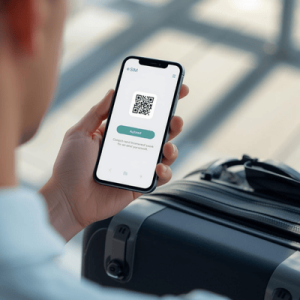
Before we get into the “how-tos,” let’s look at the “what.” An eSIM is a digital version of the traditional SIM card already built into most modern smartphones (iPhone XS and newer, Samsung S20+, Google Pixel 3, etc.). Instead of physical hardware, you download a “profile” via a QR code or an app, which tells your phone how to connect to local towers.
The New York Context
New York City presents a unique challenge for mobile devices. The “urban canyons”—those soaring skyscrapers in Midtown Manhattan—can bounce signals around, making a robust connection vital. Furthermore, the city’s underground subway system is increasingly connected, but having a dedicated data plan ensures you don’t lose your map mid-transit between Brooklyn and the Upper East Side.
Historically, travelers had to choose between:
- Expensive Roaming: Paying $10+ per day to their home provider.
- Physical Local SIMs: Finding a T-Mobile or AT&T store, showing a passport, and swapping cards.
- Public Wi-Fi: Risking security on open networks at Bryant Park or Starbucks.
The eSIM New York experience eliminates these pain points. It allows you to maintain your original phone number for iMessage or WhatsApp while using a local “data pipe” for everything else. It’s faster, cheaper, and more secure.
 United StatesUnited States 1GB 7DaysBuy now
USD 5.00
- United StatesUnited States 3GB 30DaysBuy now
USD 9.00
- United StatesUnited States 5GB 30DaysBuy now
USD 15.00
- United StatesUnited States 10GB 30DaysBuy now
USD 24.24
- United StatesUnited States 20GB 30DaysBuy now
USD 37.00
- United StatesUnited States 50GB 180DaysBuy now
USD 49.00
10 Essential Tips for Using an eSIM in New York
To make the most of your trip, follow these ten battle-tested tips for using a digital SIM in the concrete jungle.
1. Check Device Compatibility and “Unlocked” Status
This is the most common pitfall. Before you buy an eSIM New York plan, ensure your phone is “Carrier Unlocked.” If you are still paying off your phone via a contract, your carrier might have it locked to their network.
- On iPhone: Go to Settings > General > About > Carrier Lock. It should say “No SIM restrictions.”
- On Android: Settings > Connections > Mobile Networks > Networks Operators.
2. Activate Your eSIM Before You Leave
Don’t wait until you’re standing in a crowded terminal at JFK trying to find free Wi-Fi. The best way to use an eSIM New York plan is to install the profile while you are still at home on a stable Wi-Fi connection. You can keep the line “Off” until you land.
3. Label Your eSIM Profiles
Your phone will likely default to names like “Secondary” or “Travel.” Change the label to “Terminal eSIM” or “NYC Data.” This prevents confusion when you’re trying to toggle the correct line in your settings.
4. Set Your Data Source Correctly
In your cellular settings, you must manually select which line provides “Cellular Data.” Keep your primary line (your home number) on for calls/texts (if needed), but ensure the eSIM New York plan is the sole source for data to avoid roaming fees.
5. Use Offline Maps as a Backup
Even with the best eSIM New York coverage, the skyscrapers in Financial District can sometimes cause “GPS drift.” Download Google Maps for the NYC area offline. Your eSIM will handle the real-time traffic updates, but the base map will already be on your phone.
6. Enable Data Roaming for the eSIM
This sounds counterintuitive, but many travel eSIMs require “Data Roaming” to be toggled ON for the specific eSIM profile to function. Do not worry—as long as your primary home SIM has roaming OFF, you won’t be charged by your home carrier.
7. Monitor Your Data Usage
New York is a visual city. You’ll be uploading 4K reels of the Empire State Building and FaceTime-ing family from the High Line. Use your phone’s built-in data tracker to ensure you don’t hit your limit mid-trip.
8. Prioritize 5G Coverage
NYC is a 5G powerhouse. When choosing a plan, ensure your provider (like Terminal eSIM) offers 5G access. In high-density areas like Times Square, 4G/LTE can get congested, but 5G usually cuts through the noise.
9. Keep Your QR Code Handy
Take a screenshot of your activation QR code or save the email. If you accidentally delete your profile or need to re-install it, having that digital “key” is a lifesaver.
10. Avoid Public Wi-Fi for Banking
NYC has “LinkNYC” kiosks offering free Wi-Fi everywhere. While tempting, these are hotspots for “Man-in-the-Middle” attacks. Use your encrypted eSIM New York connection for anything involving passwords or credit cards.
Comparing New York Connectivity Options
Choosing the right plan depends on your stay duration and data needs. Below is a comparison of how Terminal eSIM stacks up against typical tourist options in the USA.
| Feature | Terminal eSIM (USA Plan) | Local Physical SIM | International Roaming |
| Setup Time | < 5 Minutes | 1–2 Hours (Travel + Store) | Instant |
| Cost (Approx.) | $5 – $30 | $40 – $60 + Activation | $10/Day |
| Network | Tier 1 (T-Mobile/Verizon) | Single Carrier | Dependent on Partner |
| 5G Access | Included | Included | Often Throttled to 3G/4G |
| Security | High (Encrypted) | High | High |
| Convenience | No physical swap | Requires SIM tool | No change needed |
Key Insight: While roaming is “convenient,” it is 10x more expensive. Physical SIMs offer good value but waste precious vacation hours in a phone store. Terminal eSIM provides the middle ground: local pricing with digital-instant delivery.
Trends and FAQs for NYC Travelers
The Shift Toward “eSIM-Only” Devices
The trend is clear: physical SIM cards are going the way of the payphone. Since the iPhone 14, US-model iPhones don’t even have a SIM tray. This makes understanding eSIM New York options a requirement, not just a suggestion, for anyone buying technology in the States or traveling with newer hardware.
Common Problems and Solutions
- Problem: “I have bars but no internet.”
- Solution: Check your APN settings (usually found under Cellular Data Network). Most eSIMs like Terminal eSIM set this automatically, but a quick restart often fixes the handshake between your phone and the NYC towers.
- Problem: “My battery is draining fast.”
- Solution: Your phone is working hard to maintain two signals. Turn off “Background App Refresh” for non-essential apps to save juice for your photos.
Frequently Asked Questions
Q: Can I keep my WhatsApp number with an eSIM? A: Yes! WhatsApp identifies you by your original phone number. When you install an eSIM New York plan, WhatsApp will ask if you want to change your number. Simply select “No” or “Keep,” and you can message your friends exactly as you do at home.
Q: Does the eSIM work in the New York Subway? A: Connectivity in the subway is provided by Transit Wireless. While an eSIM will work in most stations and some tunnels (thanks to massive infrastructure upgrades in 2024/2025), you will still experience “dead zones” deep underwater between Manhattan and Brooklyn.
Q: What happens if I run out of data? A: With providers like Terminal eSIM, you can simply top up your existing profile through the website. There is no need to install a new QR code.
Summary of the Best eSIM New York Strategy
Staying connected in the “City of Dreams” shouldn’t be a nightmare. By opting for an eSIM, you bypass the outdated hurdles of physical hardware and the predatory pricing of international roaming.
To recap the essentials:
- Ensure your device is unlocked.
- Install your Terminal eSIM profile before you board your flight.
- Toggle Data Roaming ON for the eSIM, but OFF for your home line.
- Stick to your encrypted cellular data for secure tasks rather than using public Wi-Fi.
With these steps, you’ll be able to navigate the subway like a local, find the best hidden speakeasies in the East Village, and share every moment of your trip in real-time.
Get Your New York Trip Started with Terminal eSIM
Ready to experience New York without the data stress? Whether you’re a digital nomad setting up shop in a DUMBO loft or a tourist hitting every museum on the Museum Mile, Terminal eSIM is designed for the modern traveler.
We offer flexible data packages tailored for the United States, featuring lightning-fast 5G speeds on the country’s most reliable networks. Our platform is built for simplicity—buy, scan, and connect. No contracts, no hidden fees, and no more searching for Wi-Fi in the middle of Central Park.
Don’t leave your connectivity to chance. Secure your high-speed data today and make the most of every New York minute.
Explore Terminal eSIM Plans for New York City
- United StatesUnited States 1GB 7DaysBuy now
USD 5.00
- United StatesUnited States 3GB 30DaysBuy now
USD 9.00
- United StatesUnited States 5GB 30DaysBuy now
USD 15.00
- United StatesUnited States 10GB 30DaysBuy now
USD 24.24
- United StatesUnited States 20GB 30DaysBuy now
USD 37.00
- United StatesUnited States 50GB 180DaysBuy now
USD 49.00