Landing in a new country is exhilarating, but the modern traveler’s biggest fear is often seeing that “No Internet” icon while trying to navigate an unfamiliar city. If you’re using an esim malaysia plan, you already have the upper hand. You’ve skipped the long airport queues and the hassle of physical SIM cards. However, to keep that seamless experience going, you need to know exactly how much data you have left.
Managing your data balance is about more than just avoiding a cutoff; it’s about peace of mind. Whether you’re a digital nomad uploading large files from a café in Penang or a tourist sharing Instagram stories of the Petronas Towers, monitoring your usage ensures you won’t be left stranded without Grab or Google Maps.
In this comprehensive guide, we will walk you through the various ways to check your data balance for an esim malaysia, from built-in device settings to provider-specific tools like Terminal eSIM. We’ll also compare popular local options to help you stay ahead of the curve.
Why Monitoring Your eSIM Data in Malaysia Matters
The transition from physical SIM cards to eSIM technology has revolutionized travel. An eSIM (embedded SIM) is a digital chip already inside your phone that allows you to activate a cellular plan remotely. For travelers in Malaysia, this means instant connectivity. But because these plans are often prepaid with fixed data caps (e.g., 3GB, 10GB, or 20GB), keeping an eye on the “fuel gauge” is essential.
The Shift to Digital Connectivity
Malaysia is a tech-forward nation with a highly competitive telecommunications landscape. Major providers like Maxis, CelcomDigi, and U Mobile have all embraced eSIM technology. However, travel-specific providers like Terminal eSIM often offer more streamlined experiences for visitors.
Unlike a traditional contract where you might get a warning text when you hit 80% usage, travel eSIMs sometimes require a bit more proactive management. If you run out of data in the middle of a jungle trek in Taman Negara, finding a Wi-Fi hotspot to buy more data becomes a difficult task.
Understanding Data Consumption
Data goes faster than you think. High-definition video calls, automatic app updates, and background cloud syncing can eat through a 5GB plan in just a few days. By checking your balance regularly, you can:
- Prioritize Essential Apps: Save your data for navigation and communication rather than high-res video streaming.
- Plan Your Top-ups: If you see your balance is low, you can purchase an add-on or a new plan while you still have a stable connection.
- Avoid Throttling: Some “unlimited” plans in Malaysia actually have a Fair Usage Policy (FUP). Once you hit a certain limit, your speed may drop significantly. Monitoring helps you stay within the high-speed bracket.
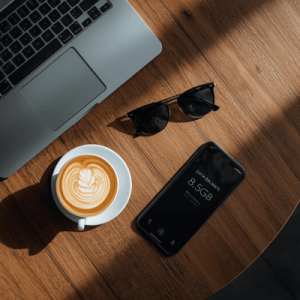

Step-by-Step: How to Check Your eSIM Malaysia Data Balance
Checking your balance depends on whether you are using a local Malaysian carrier (like Maxis or CelcomDigi) or a dedicated travel provider like Terminal eSIM. Here are the most effective methods.
1. Using the Terminal eSIM Dashboard (Recommended)
If you purchased your plan through Terminal eSIM, checking your balance is incredibly simple and accurate.
- Log In: Go to the Terminal eSIM website or app and log into your account.
- View “My eSIMs”: Navigate to your active plans.
- Real-Time Tracking: Your dashboard will show a progress bar indicating how many GBs you have used and what remains. This is the most reliable method because it reflects the provider’s actual server data.
2. Checking via Smartphone Settings
Both iOS and Android have built-in data trackers. While these provide a good estimate, be aware they track what the phone sees, which might differ slightly from the provider’s billing.
For iPhone (iOS):
- Go to Settings > Cellular (or Mobile Data).
- Scroll down to the Cellular Data section.
- Look for your active eSIM label (e.g., “Travel” or “Terminal”).
- You will see “Current Period” usage. Note: You may need to “Reset Statistics” at the start of your trip to get an accurate reading for your Malaysia stay.
For Android:
- Go to Settings > Network & Internet.
- Tap on SIMs and select your active eSIM.
- Tap on Data usage.
- You can see a graph of your usage and set data warnings to alert you when you’re running low.
3. Using Local USSD Codes (For Local Malaysian SIMs/eSIMs)
If you are using a local prepaid esim malaysia from a carrier like Hotlink or CelcomDigi, you can use “shortcodes” dialed via the phone app:
- Maxis/Hotlink: Dial *100# or check the Hotlink App.
- CelcomDigi: Dial *118# and follow the prompts for “Check Balance.”
- U Mobile: Dial *118# or use the MyUMobile app.
Comparison: Best eSIM Malaysia Plans for 2026
When choosing an eSIM, data transparency and ease of checking your balance are just as important as the price. Below is a comparison of popular options for travelers heading to Malaysia.
| Provider | Typical Data Plans | Network Partner | Ease of Balance Check | Key Benefit |
| Terminal eSIM | 1GB – 50GB (7-30 Days) | Maxis / CelcomDigi | High (App/Web Dashboard) | Best for reliability and 24/7 support |
| Airalo | 1GB – 20GB (7-30 Days) | Maxis | Medium (In-app only) | Popular for short trips |
| Local Prepaid | Varies (Daily/Weekly) | Varies | Low (Requires USSD codes) | Cheaper but requires ID registration |
| Holafly | Unlimited (Days-based) | CelcomDigi | N/A (Unlimited*) | Good for heavy users (speed may throttle) |
Summary of Insights
While local plans might appear cheaper on paper, they often require “KYC” (Know Your Customer) registration involving passport scans at a physical kiosk. Terminal eSIM provides a middle ground: high-speed access on Malaysia’s best networks (Maxis and CelcomDigi) with an easy-to-use digital dashboard that lets you see your balance at a glance without dialing confusing codes.
Trends and Troubleshooting Your eSIM in Malaysia
The world of esim malaysia is evolving rapidly. In 2026, 5G coverage has expanded beyond Kuala Lumpur and Selangor into almost every major city and tourist hub, including Kota Kinabalu and Kuching.
Common Problems & Solutions
Problem: My data balance isn’t updating.
- Solution: Most dashboards have a slight delay (5–15 minutes). If it hasn’t updated in an hour, try toggling your “Airplane Mode” on and off to force the eSIM to re-sync with the local tower.
Problem: I’m running out of data too fast.
- Solution: Turn off “Wi-Fi Assist” (iOS) or “Network Acceleration” (Android). These features use cellular data to “help” when your Wi-Fi is weak. Also, disable “Background App Refresh” for non-essential apps.
Problem: I can’t access the balance check website.
- Solution: Ensure you haven’t fully exhausted your data. If you have, you may need to find a public Wi-Fi (like at a Starbucks or OldTown White Coffee) to log into your Terminal eSIM account and top up.
Frequently Asked Questions (FAQs)
- Can I top up my eSIM malaysia if I run out of data?
Yes, most travel eSIMs allow you to purchase “top-up” packages. With Terminal eSIM, you can simply log into your account and add more data to your existing eSIM profile without needing to scan a new QR code.
- Does checking my balance use up my data?
Accessing the provider’s app or website uses a negligible amount of data (less than 1MB). However, using USSD codes (*100#) is usually free of charge.
- Why does my phone settings show more usage than the eSIM app?
Your phone tracks all data transmitted, including failed requests or system tasks that the provider might not count toward your bill. Always trust the provider’s app for the most accurate billing info.
- Will my eSIM work in East Malaysia (Borneo)?
Yes, esim malaysia plans from Terminal eSIM cover both Peninsular Malaysia and East Malaysia (Sabah and Sarawak). Coverage is excellent in cities, though it may fade in deep jungle areas.
Summary: Keeping Your Malaysian Adventure Online
Navigating a trip to Malaysia is an incredible experience, but staying connected is what makes it stress-free. To summarize how to manage your esim malaysia data:
- Start with the right provider: Choose a service like Terminal eSIM that offers a clear, user-friendly dashboard.
- Use built-in tools: Set data limits on your Android or iPhone as a secondary warning system.
- Monitor regularly: Check your balance every evening so you aren’t caught off guard the next day.
- Top up early: Don’t wait until you have 0MB left. Purchase more data while you still have a working connection.
By following these simple steps, you ensure that your only worry in Malaysia is deciding which stall at the Jalan Alor night market has the best satay.
Get the Best eSIM Malaysia Experience with Terminal eSIM
Ready to explore the wonders of Malaysia? Don’t let data limits hold you back. Whether you’re a frequent flyer or a first-time visitor, Terminal eSIM offers the most reliable and transparent way to stay connected.
With our high-speed 5G/4G LTE coverage and a dashboard designed for the modern traveler, you’ll never have to wonder about your data balance again. Our plans are affordable, require no physical SIM swapping, and can be activated in under two minutes.
Why choose us?
- Instant Activation: Scan and go as soon as you land.
- Zero Roaming Fees: Pay local prices, not tourist premiums.
- Transparent Tracking: Check your balance anytime, anywhere.
Don’t leave your connectivity to chance. Grab your esim malaysia from Terminal eSIM today and travel with confidence!