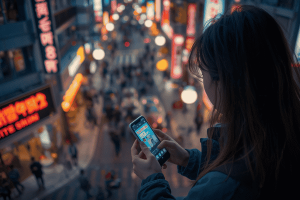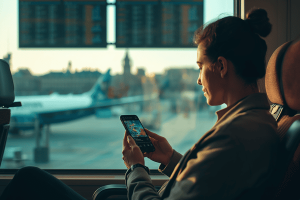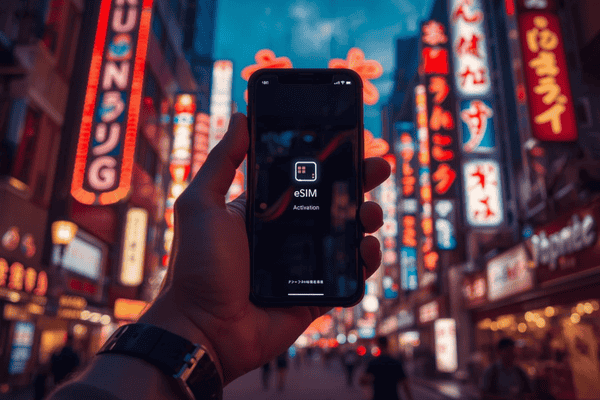
To set up an eSIM in Osaka, simply download the Terminal eSIM app, select a Japan data plan, and follow the on-screen prompts to install the digital SIM profile. Once you land at Kansai International Airport (KIX), toggle “Data Roaming” to on to instantly access high-speed 4G/5G networks without swapping physical cards.
Why is an eSIM the best choice for traveling to Osaka?
Osaka is a city that thrives on real-time information. Whether you are navigating the intricate subway lines at Umeda Station, translating a menu in a hidden alleyway in Shinsekai, or posting a video of the neon lights at Dotonbori, a stable internet connection is non-negotiable. Traditional roaming is notoriously expensive, and hunting for a physical SIM card kiosk at the airport after a long flight is a hassle no traveler needs.
An eSIM (embedded SIM) allows you to bypass the physical counter entirely. By choosing Terminal eSIM, you get professional-grade connectivity with no hidden fees and 24/7 support. It is the modern traveler’s secret weapon for staying connected from the moment the plane wheels touch the tarmac.
How do I choose the right eSIM plan for Osaka?
When selecting your plan, consider your length of stay and data usage habits. Osaka is highly digital; you will likely use more data than expected for Google Maps, social media, and translation apps. Terminal eSIM offers flexible plans tailored for Japan, ensuring you aren’t paying for data you don’t use while maintaining blazing-fast speeds.
| Feature | Physical Tourist SIM | Pocket Wi-Fi | Terminal eSIM |
| Setup Time | 15–30 Minutes | 10 Minutes (Pickup) | < 5 Minutes |
| Hardware | Small plastic card | Extra device to charge | None (Digital) |
| Cost | High (Retail prices) | Medium (Daily rental) | Low (Direct app pricing) |
| Reliability | Good | Excellent | Excellent (Multi-carrier) |
| Hidden Fees | Common | Deposit required | None |
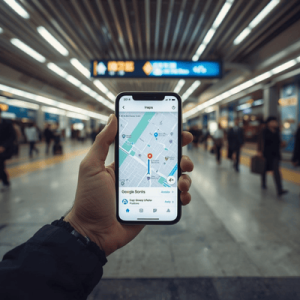

What are the steps to activate Terminal eSIM in Osaka?
Setting up your connection is designed to be stress-free. You can even do this while waiting for your luggage or sitting on the Haruka Express train toward Osaka Station.
- Download the App: Search for “Terminal eSIM” on the Apple App Store or Google Play Store.
- Select Japan: Open the app and browse the Japan-specific plans. Select the one that fits your stay in Osaka.
- Purchase & Install: Complete your purchase securely. Follow the “one-click” installation prompt or scan the provided QR code in your settings.
- Label Your Plan: Go to your phone’s “Cellular” or “Mobile Data” settings and label the new line as “Travel” or “Osaka.”
- Activate Data Roaming: Once you arrive in Japan, set your Terminal eSIM as the primary line for “Mobile Data” and ensure Data Roaming is toggled ON.
Is my smartphone compatible with a Japan eSIM?
Most modern smartphones manufactured after 2018 support eSIM technology. This includes iPhone XS and newer models, Google Pixel 3 onwards, and the Samsung Galaxy S20 series and later. To be certain, ensure your device is “carrier unlocked.” You can check this in your phone’s settings under “About” or “Network” information.
Where can I find the Terminal eSIM app?
Efficiency is at the core of the Terminal eSIM experience. To ensure a smooth journey through the Kansai region, you should download the official app before you depart. The Terminal eSIM app is available on the Google Play Store and Apple App Store, giving you a centralized hub to monitor your data usage, top up your plan, or contact human support agents if you have questions.
What makes Osaka the perfect city for eSIM users?
Osaka is often called “Japan’s Kitchen,” and your culinary exploration will be much easier with instant data. From finding the best Takoyaki stands to checking the wait times at Universal Studios Japan, your eSIM ensures you are never out of the loop. Because Terminal eSIM connects to the strongest local networks in Japan, you can expect seamless transitions between the towering skyscrapers of Abeno Harukas and the historic grounds of Osaka Castle.
Frequently Asked Questions
Question: Can I keep my original WhatsApp number while using an eSIM in Osaka?
Answer: Yes, your WhatsApp and other messaging apps will continue to function on your original phone number while the eSIM handles all your data needs.
Question: Does the eSIM work in other Japanese cities like Kyoto or Tokyo?
Answer: Absolutely; your Terminal eSIM Japan plan provides nationwide coverage, allowing you to travel seamlessly between Osaka and other regions.
Question: What happens if I run out of data while exploring Osaka?
Answer: You can instantly top up your data plan directly through the Terminal eSIM app without needing to install a new profile.
Question: Do I need an internet connection to install the eSIM?
Answer: Yes, you need a stable Wi-Fi or cellular connection for the initial download and activation, so we recommend setting it up before you leave home.
Question: Is there 24/7 support if I have trouble connecting?
Answer: Yes, Terminal eSIM provides 24/7 customer support through the app to help you resolve any connectivity issues immediately.
Ready for your Osaka Adventure?
Check the Coverage: Not sure how much data you need for your trip? Visit our destination page to see our competitive rates and extensive coverage maps for Osaka and beyond.
Download and Go: Don’t wait until you land to figure out your internet. Download the Terminal eSIM app today on the Google Play Store or Apple App Store and secure your high-speed Japan data plan in seconds. Your 5-minute setup starts now!