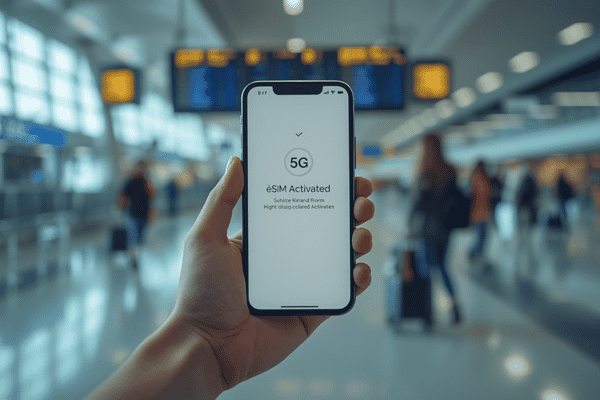
To use a Simify eSIM, simply purchase a plan for your destination, scan the provided QR code in your phone’s cellular settings, and toggle on “Data Roaming” upon arrival. This digital process eliminates physical SIM cards, allowing for instant high-speed internet access in over 190 countries without hidden fees.
What exactly is a Simify eSIM and how does it work?
An eSIM, or embedded SIM, is a digital version of the traditional plastic SIM card already built into your smartphone. Unlike a physical card that you have to swap out, a Simify eSIM allows you to download a data profile directly to your device. This technology is designed for the modern traveler who wants to avoid the “airport scramble” for a local SIM card.
When you purchase a plan through Terminal eSIM or directly via Simify, you receive a digital key—usually a QR code—that tells your phone how to connect to local networks in Europe, Asia, North America, or wherever your wanderlust takes you. Because it’s all digital, you can keep your original home SIM card in your phone to receive important texts (like bank 2FA codes) while using your eSIM for all your data-heavy tasks like Google Maps, Instagram, and WhatsApp calling.

Why should you choose Simify for your next trip?
Navigating the world of international data can be a headache, but Simify streamlines the experience by focusing on three pillars: speed, simplicity, and transparency. Unlike traditional carriers that might surprise you with a massive bill upon your return, these plans are prepaid. What you see is what you get.
- No Hidden Fees: You pay for your data upfront. There are no “connection fees” or “daily roaming charges” tucked away in fine print.
- Blazing Fast Speeds: Simify partners with top-tier local telcos to ensure you get 4G/5G speeds rather than being throttled to 3G.
- Easy Activation: The entire setup takes less than five minutes and can be done from your couch before you even leave for the airport.
- 24/7 Support: If you hit a snag in a different time zone, help is always available to get you back online.
How does Simify compare to traditional roaming?
| Feature | Simify eSIM | Traditional Roaming |
| Setup Time | Under 5 Minutes | Automatic (but expensive) |
| Cost | Fixed Prepaid Price | Variable (often $10+/day) |
| Physical Hardware | None (Digital) | None |
| Network Speed | Local 4G/5G | Often Throttled |
| Hidden Fees | None | High Risk |
| Customer Support | 24/7 Digital Support | Carrier Dependent |
How do I install and activate my Simify eSIM?
Setting up your connection is straightforward, but it is important to follow the steps in order to ensure a smooth transition when you land.
Step 1: Check Device Compatibility
Before purchasing, ensure your phone is carrier-unlocked and eSIM compatible. Most iPhones from the XR onwards and Samsung Galaxy S20 or newer models support this tech.
Step 2: Purchase Your Plan
Select your destination and data amount. Once the transaction is complete, you will receive an email containing your unique QR code and installation instructions.
Step 3: Scan the QR Code
- On iPhone: Go to Settings > Cellular > Add eSIM. Use your camera to scan the QR code.
- On Android: Go to Settings > Network & Internet > SIMs > Add More > Download a SIM instead.
Step 4: Label Your eSIM
Give your new plan a name like “Travel” or “Europe 2026.” Set your primary (home) SIM for “Default Voice Line” and your new eSIM for “Cellular Data.”
Step 5: Activate Data Roaming
This is the most important step! Once you land at your destination, go into your cellular settings, select the Simify profile, and toggle Data Roaming to ON. Your phone will then search for and connect to the local partner network.
Is my data secure with a digital SIM?
Security is a major benefit of the eSIM era. Because there is no physical chip to steal or lose, your data profile is tied directly to your device’s hardware. Furthermore, using a private eSIM data connection is significantly safer than connecting to “Free Airport Wi-Fi” or unsecured hotel networks, which are often targets for hackers looking to intercept personal information. With Simify, you are browsing on an encrypted cellular network, providing peace of mind alongside your high-speed connection.
FAQ
Question: Does my phone need to be unlocked to use Simify?
Answer: Yes, your device must be carrier-unlocked to accept an eSIM from a different provider. If you are on a monthly payment plan for your phone, check with your carrier first to ensure it is unlocked.
Question: Can I use my Simify eSIM to make phone calls?
Answer: Most Simify plans are data-only, meaning they don’t include a local phone number. However, you can make unlimited calls and texts using apps like WhatsApp, FaceTime, or Skype using your eSIM data.
Question: Should I install the eSIM before I leave or when I land?
Answer: It is best to install the eSIM while you still have a stable Wi-Fi connection at home or in the airport. You can keep it “off” until you land, then simply toggle it on and enable roaming to connect.
Question: Can I share my data with other devices via Hotspot?
Answer: Yes, most Simify plans allow for personal hotspotting. This is perfect if you need to connect a laptop or share your data with a travel companion.
Question: What happens if I run out of data during my trip?
Answer: You can easily top up your data through the Terminal eSIM portal or the Simify app. You’ll receive a notification when your data is running low so you are never left without a connection.
Call to Action
Ready to explore the world without the stress of roaming fees?
Check our Global Coverage Map to see which high-speed plan fits your next adventure.
Stay connected the smart way.
Download the Terminal eSIM App or Buy Your Simify Plan Now to get instant activation and 24/7 support for your journey.