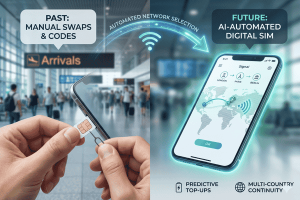
It’s stressful, it’s outdated, and—thanks to the evolution of mobile technology—it’s entirely unnecessary.
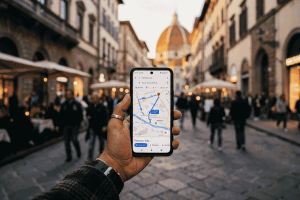
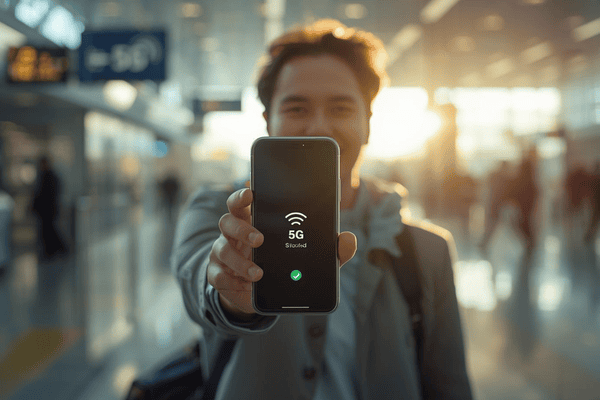
In the modern era of global connectivity, the “land and connect” dream is finally a reality. By leveraging a digital SIM, travelers can bypass the airport kiosk queues and the overpriced “tourist SIM” traps. Imagine walking off the plane, toggling a single setting on your phone, and immediately having the coordinates to your hotel or the ability to hail a ride-share. No physical swaps, no lost original SIM cards, and no roaming bill shock.
This guide explores the seamless world of Terminal eSIM, walking you through the transition from physical to digital connectivity so you can focus on the journey, not the signal bars.
Understanding the Shift: The Evolution of Connectivity
The transition from physical SIM cards to the digital SIM (commonly known as an eSIM) represents one of the most significant leaps in telecommunications since the invention of the smartphone. To understand why this matters for your next trip, we have to look at what’s happening inside your device.
What is a Digital SIM?
Technically termed an “embedded SIM,” a digital SIM is a programmable chip built directly into your smartphone’s motherboard. Unlike the traditional plastic card that stores your subscriber identity, this internal chip is “rewritable.” This means you can download “profiles” from different carriers across the globe without ever touching the hardware.
Why the Travel Industry is Pivoting
For decades, mobile carriers held a monopoly on your connectivity. If you traveled, you either paid $10 a day for “international passes” or spent your first hour in a new country standing in line at a brick-and-mortar shop. The digital SIM has disrupted this entirely.
- Space Saving: Phone manufacturers like Apple and Samsung are reclaiming the internal space used by SIM trays to add larger batteries or better cooling systems.
- Security: If your phone is stolen, a thief can’t simply “pop out” the SIM card to prevent you from tracking it. The digital profile remains locked to the device.
- Sustainability: Think of the billions of plastic SIM cards produced every year, along with their plastic credit-card-sized holders and packaging. Shifting to digital reduces this environmental footprint to nearly zero.
The Terminal eSIM Advantage
Terminal eSIM was built specifically to bridge the gap between complex tech and the casual traveler. By providing a platform where you can purchase a profile for Paris while you’re still sitting in your living room in New York, the “local” experience becomes global. It isn’t just about convenience; it’s about the democratization of data. You get local rates without needing a local ID or a local address.
Step-by-Step: Activating Your Digital SIM the Moment You Land
Preparation is the secret sauce of stress-free travel. You don’t want to be figuring out your settings while navigating a crowded terminal in Tokyo. Follow this guide to ensure your digital SIM is ready to fire the second the cabin doors open.
Phase 1: Before You Leave (The Pre-Flight Checklist)
- Check Compatibility: Ensure your phone is “Carrier Unlocked.” If you are on a payment plan with your provider, they may have locked the eSIM functionality. A quick call to your carrier can usually resolve this.
- Select Your Plan: Visit Terminal eSIM and select your destination. Whether it’s a single country or a regional “Global” plan, buy it a day or two before your flight.
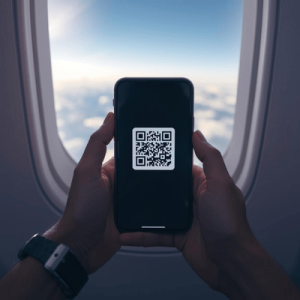
- Install the Profile: After purchase, you’ll receive a QR code via email.
- On iPhone: Go to Settings > Cellular > Add eSIM.
- On Android: Go to Settings > Network & Internet > SIMs > Add More.
- Label Your SIMs: Give your profiles names like “Home” and “Travel.” This prevents confusion when you’re toggling between them.
Phase 2: In the Air
Most travelers worry that installing the SIM early will “start the clock” on their data. With Terminal eSIM, the validity usually begins the moment you connect to a local network at your destination.
- Keep your Home SIM active for calls and texts (if you wish), but turn off “Data Roaming” for your primary line to avoid accidental charges.
- Set the Digital SIM as the primary source for “Cellular Data.”
Phase 3: The Moment You Land
As soon as the “Airplane Mode” light goes off:
- Toggle Airplane Mode: Turn it off.
- Enable Data Roaming: Go into the settings for your digital SIM and ensure “Data Roaming” is switched ON for that specific profile. (Don’t worry, this only applies to the travel plan, not your home plan).
- Wait 60 Seconds: Your phone will handshake with the local towers. You’ll see the carrier name change to a local provider (e.g., Orange in France or Vodafone in the UK).
Pro Tips for Success
- Download Offline Maps: Even with a digital SIM, having a 50MB offline map of your destination is a great safety net.
- Update Your Apps: Do all your heavy app updates on home Wi-Fi. You don’t want your travel data swallowed by a 2GB Instagram update in the taxi.
Comparing Connectivity: Why Terminal eSIM Leads the Pack
Choosing the right provider can be the difference between 5G speeds and a frustrating 3G crawl. Below is a comparison of how Terminal eSIM stacks up against traditional methods of staying connected.
| Feature | Physical Local SIM | International Roaming | Terminal eSIM |
| Setup Time | 30–60 mins (in-store) | Instant | 2 mins (remote) |
| Cost | Low | Very High | Low (Local Rates) |
| Phone Number | New Local Number | Your Original Number | Data-Only / Keep Original |
| Security | Risk of losing original SIM | High | Encrypted / Digital |
| Multi-Country | Requires swapping cards | Automatic (Expensive) | Regional Plans Available |
Key Insights from the Table
The most striking takeaway is the balance of cost and convenience. While a physical local SIM is cheap, it requires physical effort and risks the loss of your home SIM card. International roaming is convenient but can result in “bill shock”—where users return home to find hundreds of dollars in charges.
The digital SIM through Terminal eSIM offers the “Golden Mean”: the low prices of a local provider with the instant, remote activation of a premium roaming service. It allows you to keep your WhatsApp or iMessage registered to your home number while using cheap local data for everything else.
Future Trends and Solving Common Traveler Fears
As we move into 2026 and beyond, the digital SIM is becoming the default standard. The latest flagship phones are already shipping without physical SIM slots in certain markets. However, with new tech comes new questions.
The Rise of “Regional” Data
One of the biggest trends is the “Regional eSIM.” Travelers doing a “Euro-trip” no longer need a different SIM for every border crossing. You can now buy a “Europe 50” plan that covers 50 countries seamlessly. Terminal eSIM specializes in these cross-border transitions, ensuring your data follows you from the train in London to the cafe in Paris without a hitch.
Troubleshooting Common Issues
“I installed it, but it’s not working!”
Most of the time, this is due to one of two things:
- Data Roaming is OFF: You must enable roaming for the travel profile specifically.
- APN Settings: Occasionally, you might need to manually enter the “Access Point Name.” Terminal eSIM provides these simple text strings in your confirmation email.
Frequently Asked Questions (FAQs)
Q: Can I still receive calls on my home number?
A: Yes! Most modern phones allow “Dual SIM, Dual Standby.” You can keep your physical SIM active for emergency texts/calls while using your digital SIM for all data-heavy tasks.
Q: Does my data expire?
A: Plans usually range from 7 to 30 days. You can check your remaining balance and expiry date through the Terminal eSIM dashboard.
Q: What happens if I run out of data in the middle of a trip?
A: You can “top up” instantly online. There’s no need to install a new SIM; the extra data is simply added to your existing digital profile.
Summary: The New Standard of Travel
The days of being “disconnected” are over. Transitioning to a digital SIM is more than just a tech upgrade; it’s a travel philosophy centered on freedom and efficiency. We’ve covered the technical “why,” the practical “how,” and the competitive “which.”
To recap:
- The eSIM is an internal chip that replaces plastic cards.
- Activation happens via a simple QR code scan before you even leave your house.
- You save money by accessing local network rates without the “tourist tax.”
- Dual-SIM technology allows you to keep your home number active for 2FA and texts while browsing on local data.
By removing the friction of connectivity, you’re free to experience your destination fully. Whether you’re navigating the winding streets of Rome or uploading a sunset from a beach in Bali, the transition is now instantaneous.
Get Started with Terminal eSIM Today
Ready to leave the SIM-swap struggle in the past? Your next adventure deserves the best possible start. Don’t wait until you’re hunting for free airport Wi-Fi to figure out your data situation.
With Terminal eSIM, you get:
- Instant delivery to your inbox.
- High-speed 4G/5G coverage in over 190 countries.
- No hidden fees or surprise roaming charges.
- 24/7 Support to ensure you stay connected.
Whether you are a digital nomad needing reliable speeds for a Zoom call or a vacationer who just wants to share photos with family, we have a plan tailored for you. Experience the freedom of the modern traveler.
Activate your digital SIM now at Terminal eSIM and stay connected from the moment you touch down.