Modern travel requires constant connectivity, but traditional roaming fees are becoming a relic of the past. Enter the era of the eSIM—a digital solution that has completely revolutionized how we stay online abroad.
However, simply buying a plan isn’t enough. Travelers today are savvy; they want more than just connection—they want speed, reliability, and freedom. That is where esim unlimited data packages come into play. These plans promise the world, but are you actually getting the most out of them?
In this guide, we aren’t just talking about buying a plan; we are diving deep into the hacks, settings tweaks, and usage strategies that ensure you squeeze every drop of value from your purchase. Whether you are a digital nomad working from a beach in Bali or a family vacationing in Paris, learning how to optimize your data usage ensures you stay connected without throttled speeds or unexpected cutoffs. Let’s unlock the full potential of your travel connectivity.
Understanding the Revolution of Digital Connectivity
To truly maximize your plan, it helps to understand exactly what you are working with. The embedded SIM, or eSIM, is a small chip already built into your smartphone. Unlike physical SIM cards that require fumbling with paperclips and tiny plastic trays, an eSIM allows you to download a data plan directly to your device. This technology has rapidly shifted from a niche tech feature to a standard necessity for international travel.
The Shift from Physical to Digital
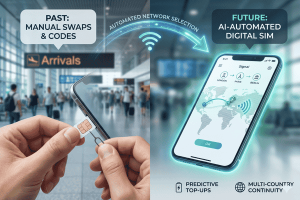
Historically, travelers had three bad options: paying exorbitant roaming fees to their home carrier, buying a local SIM card upon arrival (often involving language barriers and long queues), or relying on patchy public Wi-Fi. The eSIM eliminated these hurdles. Now, you can purchase and install a plan before you even pack your suitcase.
What Does “Unlimited” Really Mean?
When we talk about esim unlimited data, it is crucial to read the fine print. In the world of telecommunications, “unlimited” often comes with a Fair Usage Policy (FUP). This usually means you get a high-speed allowance (e.g., 2GB or 3GB per day), after which your speed might be throttled to a lower bandwidth. This lower speed is still sufficient for messaging and emails but might struggle with 4K streaming.
Understanding this distinction is the first “hack” to maximizing your plan. If you know your high-speed cap, you can schedule your heavy downloads for when you are on Wi-Fi and save your high-speed cellular data for navigation and video calls.
The Tech Behind the Connection
eSIMs work by connecting to local networks. A provider like Terminal eSIM doesn’t own cell towers in every country; instead, they partner with top-tier local carriers (like Vodafone in Europe or AT&T in the US) to give you the best signal. When you land, your phone automatically shakes hands with the strongest local tower. This seamless switching is what makes the technology feel like magic, but knowing how to manually select networks—which we will cover later—can be a game-changer in rural areas.
7 Essential Hacks for Your eSIM Unlimited Data Plan
Now that we have established the basics, let’s get into the practical steps. You bought an esim unlimited data plan to feel free, not to worry about settings. However, a few strategic tweaks can significantly improve your experience and battery life.
1. Turn Off “Wi-Fi Assist” (iOS) or “Adaptive Wi-Fi” (Android)
This is a hidden data drainer. These features automatically switch your phone to cellular data when the Wi-Fi signal is weak. While useful at home, it can eat into your high-speed daily allowance without you noticing.
- How to fix it: Go to Settings > Cellular, scroll all the way to the bottom, and toggle off Wi-Fi Assist.
2. Manage Background App Refresh
Your apps are constantly working in the background, refreshing feeds and checking for emails. This is necessary for notifications but unnecessary for every single app when you are roaming.
- The Hack: Go to Settings > General > Background App Refresh. Set it to “Wi-Fi Only” or turn it off completely for data-heavy apps like Instagram or TikTok. This ensures your data is used only when you are actively looking at the screen.
3. Pre-Download Everything Possible
The best way to save your high-speed esim unlimited data for crucial moments is to offload heavy lifting to Wi-Fi before you leave your hotel.
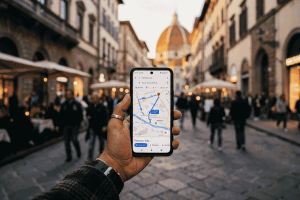
- Google Maps: Download offline maps for the city you are visiting.
- Streaming: Download music playlists and movies for the flight or train rides.
- Translation: Download the language pack for Google Translate so you can read menus offline.
4. Use “Low Data Mode” Strategically
Both iPhones and Androids have a “Low Data Mode.” This pauses automatic updates and background tasks.
- When to use it: If you have a plan with a daily high-speed cap (e.g., 2GB/day), turn this mode on during the morning and afternoon. Turn it off in the evening if you still have plenty of high-speed data left. It acts as a safety valve for your speed.
5. Manually Select Your Network
Sometimes, the “automatic” network selection doesn’t pick the fastest carrier; it picks the one with the strongest signal, which might be a slower 3G tower nearby.
- The Trick: If your data feels slow, go to Settings > Cellular > Network Selection. Turn off “Automatic.” Your phone will list available carriers. Try selecting a different major carrier manually. You might find one has much faster 5G speeds in your specific location.
6. Disable Auto-Play on Social Media
Social media apps are notorious data hogs because they pre-load videos in your feed.
- Facebook/Instagram: Go to the app settings and set video autoplay to “Never” or “On Wi-Fi Only.” This simple change can save hundreds of megabytes a day.
7. Monitor Your Usage
Ignorance is not bliss when it comes to data. Most phones track how much data you have used in the current period.
- Pro Tip: Reset your data usage statistics the moment you activate your eSIM. This gives you a real-time counter of exactly how much you have consumed during your trip, helping you pace your usage.
Comparing Top Travel Data Solutions
Choosing the right plan is just as important as how you use it. Not all esim unlimited data packages are created equal. Let’s look at how different options stack up against each other.
Below is a comparison of typical travel connectivity options versus a dedicated eSIM solution like Terminal eSIM.
| Feature | Terminal eSIM (Unlimited Plans) | Traditional Carrier Roaming | Local Physical SIM Card | Public Wi-Fi |
| Setup Time | Instant (QR code delivery) | None (Automatic but expensive) | 30-60 mins (Store visit required) | Varies (Login portals) |
| Cost | Low / Fixed Flat Rate | High ($10-$15 per day) | Low (but hidden activation fees) | Free |
| Coverage | Multi-Network Access | Single Network Roaming | Single Local Network | Limited to hotspots |
| Convenience | Keep home number active | Keep home number active | Must swap physical cards | Tethered to location |
| Security | High (Encrypted cellular) | High | High | Low (Risk of hacking) |
| Speed | 4G/5G/LTE | Often throttled | 4G/5G/LTE | Varies wildly |
| Best For | Smart travelers, Digital Nomads | Short business trips | Long-term residents | Emergencies only |
Key Comparison Insights:
The table highlights a clear winner for the modern traveler. While local physical SIMs are cheap, the time cost of finding a store and the inconvenience of swapping tiny cards (and potentially losing your home SIM) is high. Carrier roaming is the easiest but by far the most expensive—a two-week trip could cost you over $150 in roaming fees alone.
Terminal eSIM offers the “sweet spot”: the convenience of instant setup combined with the cost-effectiveness of local rates. Plus, because you aren’t swapping physical cards, you can keep your primary number active for two-factor authentication texts and emergency calls while using the eSIM for all your data needs.
Trends, FAQs, and Troubleshooting
As eSIM adoption grows, the landscape of travel tech changes. Here are the current trends and solutions to common problems travelers face.
Current Trends in Travel Connectivity
- Regional Bundles: Instead of buying a plan for France, then Germany, then Italy, travelers are opting for “Europe” or “Asia” regional bundles. This allows for seamless border crossing without changing settings.
- 5G Standardization: More countries are rolling out true 5G. eSIM providers are increasingly offering 5G access, making mobile data faster than many hotel Wi-Fi networks.
- Data-Only Communication: Travelers are moving away from traditional voice calls. WhatsApp, FaceTime, and Zoom have replaced the need for a phone number with voice minutes, making data-only eSIMs the standard preference.
Solving Common Traveler Problems
Problem: “My eSIM is installed, but I have no signal.”
Solution: This is the #1 support query. First, ensure “Roaming” is toggled ON for your eSIM line. Unlike your home carrier, eSIMs need data roaming enabled to function because they are technically roaming on a local network. Second, check that your APN settings are correct (usually automatic, but sometimes require a quick manual entry provided in your installation email).
Problem: “I’m burning through data too fast.”
Solution: Check your cloud backup settings. iCloud Photos or Google Photos might be trying to upload all your vacation pictures over cellular data. Set these apps to sync only on Wi-Fi.
Problem: “I can’t use iMessage with my eSIM.”
Solution: Go to Settings > Messages > Send & Receive. Make sure your phone number is checked. iPhone allows you to use your main number for iMessage while using the eSIM for the data connection that powers it.
Frequently Asked Questions
Q: Does an unlimited data eSIM include a phone number?
A: Generally, no. Most travel eSIMs are data-only. This is actually a benefit, as it keeps costs down. You can still make calls using WhatsApp, Skype, or FaceTime Audio.
Q: Can I install the eSIM before I travel?
A: Yes, and you should! We recommend installing it a day before you fly. The plan usually won’t activate its validity period until it connects to a network in the destination country.
Q: Will using an eSIM drain my battery?
A: No more than a regular SIM. However, if you are in an area with poor signal, your phone works harder to maintain a connection, which drains battery. This is true for any SIM card, digital or physical.
Q: Can I hotspot/tether with an unlimited plan?
A: This varies by provider. At Terminal eSIM, many plans allow for hotspot usage so you can share data with your laptop or a travel companion, though checking specific plan details is always recommended.
Summary
Traveling smart is about removing friction from your journey. The transition to eSIM technology has removed one of the biggest friction points: staying connected.
Let’s recap the key takeaways to ensure you master your next trip:
- Understand the Tech: eSIMs are digital, instant, and flexible. Know the difference between “unlimited” and high-speed caps.
- Optimize Your Settings: Small tweaks like turning off Wi-Fi Assist, disabling background app refresh, and downloading offline maps can double the efficiency of your data plan.
- Choose Wisely: Compare your options. Avoid the high costs of carrier roaming and the hassle of physical SIM cards.
- Stay Secure: Using an eSIM is significantly safer than connecting to random public Wi-Fi networks in airports or cafes.
- Troubleshoot Like a Pro: Remember to turn on Data Roaming for your eSIM line and manage your cloud sync settings to prevent data drain.
By applying these simple hacks, you ensure that your esim unlimited data plan serves you effectively, keeping you online for navigation, translation, and sharing memories without interruption.
Ready to Travel Without Limits?
The world is too big to explore while worrying about finding the next Wi-Fi hotspot. Whether you are navigating the bustling streets of Tokyo, road-tripping through the US, or backpacking across Europe, your connection to the world should be seamless and stress-free.
At Terminal eSIM, we specialize in keeping you connected globally with affordable, high-speed data plans designed for modern travelers. Stop overpaying your home carrier and stop wasting time in line at airport kiosks.
Why choose Terminal eSIM?
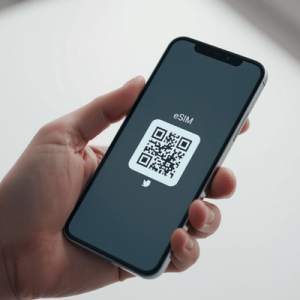
- Instant Connectivity: Get your QR code immediately via email.
- Global Coverage: Plans available for over 150+ countries and regions.
- No Hidden Fees: Transparent pricing with no surprise roaming bills.
- Flexible Options: Choose from daily bundles to comprehensive unlimited plans tailored to your trip length.
Don’t let a bad connection ruin a great trip. Experience the freedom of true digital mobility.