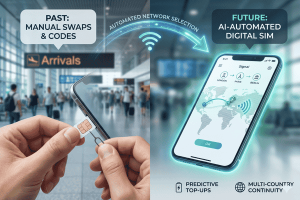
While traditional SIM cards have long been the go-to for travelers, a new technology is making international connectivity easier than ever: the eSIM.
An eSIM, or embedded SIM, is a digital SIM card that allows you to activate a cellular plan from a provider without needing a physical SIM card. For tourists visiting Korea, this means you can arrange your mobile data before you even leave home, landing with immediate access to high-speed internet. This guide will walk you through everything you need to know about using an eSIM in Korea. We’ll cover what an eSIM is, how to choose the right plan, a step-by-step setup process, and why it’s the superior choice for modern travelers. Forget the hassle of finding a local SIM card shop or dealing with complicated registration processes. Your seamless Korean adventure starts with a simple, digital solution.
What Is an eSIM and Why Use One in Korea?
Before we dive into the setup process, let’s explore what an eSIM is and the significant advantages it offers for a trip to South Korea. An eSIM is a small chip embedded directly into your smartphone, tablet, or smartwatch. Unlike a physical SIM card that you must insert and remove, an eSIM can be programmed remotely. You simply scan a QR code or follow a link from your chosen provider, and a cellular profile is downloaded and installed on your device. This technology has been integrated into most modern smartphones, including recent models from Apple, Samsung, and Google.
The primary benefit for travelers is convenience. When you purchase an eSIM for Korea, you can activate it the moment your plane touches down at Incheon International Airport. There is no need to waste precious vacation time searching for a telecom store, queuing up, and figuring out local registration requirements, which can sometimes involve showing your passport. With an eSIM, everything is done online, often in just a few minutes.
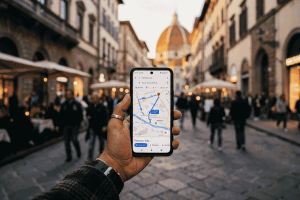
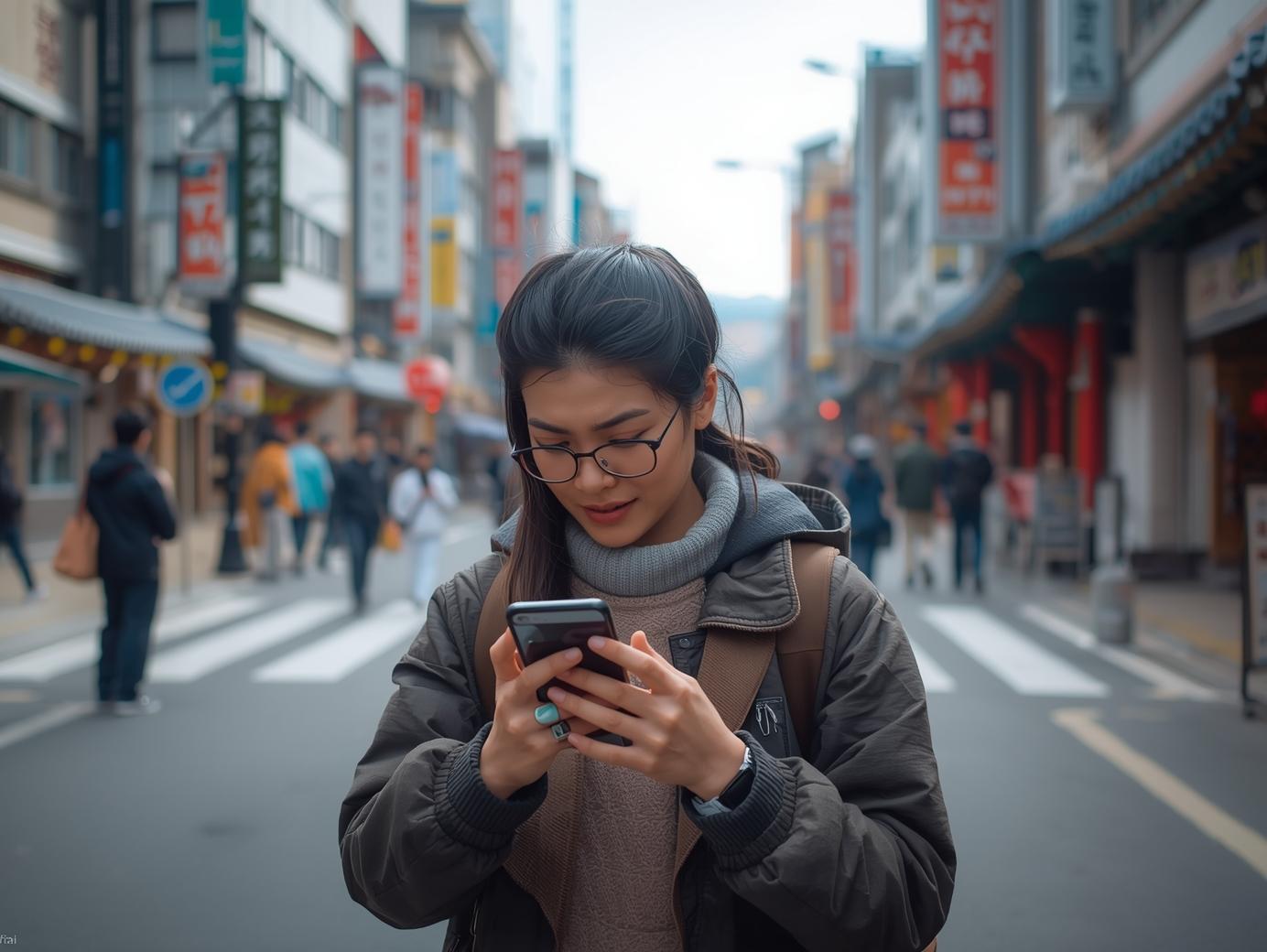
Another major advantage is flexibility. Many travelers prefer to keep their home SIM card active for receiving calls or text messages. Since most eSIM-compatible phones are also dual-SIM capable, you can use both your home SIM and your Korean eSIM simultaneously. This allows you to receive important notifications on your primary number while using affordable, high-speed local data for everything else—from using Naver Maps to navigate the Seoul subway to posting your Gyeongbok Palace photos on Instagram. Furthermore, providers like Terminal eSIM offer a variety of data packages tailored to different trip lengths and usage needs, ensuring you only pay for what you require.

A Step-by-Step Guide to Your eSIM Korea Setup
Getting your eSIM for Korea up and running is a straightforward process. The steps are designed to be user-friendly, allowing you to secure your internet connection before your trip begins. This ensures you’re connected from the moment you land, ready to navigate to your hotel or let family know you’ve arrived safely. Follow this simple guide to prepare your device for seamless connectivity in South Korea.
1. Check Your Device’s Compatibility
First and foremost, confirm that your smartphone is eSIM-compatible. Most flagship phones released in the last few years support eSIM technology. This includes:
- iPhones: iPhone XR, XS, and all newer models.
- Samsung Galaxy: S20, Note 20, Z Flip, Z Fold, and all newer models.
- Google Pixel: Pixel 3 and all newer models.
You can typically find this information in your phone’s settings under “Cellular” or “Mobile Data.” A quick online search for your specific model and “eSIM compatibility” will also provide a definitive answer. Your device must also be unlocked, meaning it is not restricted to a single carrier.
2. Choose and Purchase Your eSIM Plan
Once you’ve confirmed compatibility, it’s time to select a plan. Visit a trusted provider like Terminal eSIM and browse the options available for South Korea. Consider the length of your trip and your expected data usage. Are you a light user who just needs maps and messaging, or a heavy user who plans to stream videos and upload lots of content? Plans are typically offered based on data allowance (e.g., 5GB, 10GB, unlimited) and duration (e.g., 7 days, 15 days, 30 days). Once you’ve made your choice, complete the purchase online.
3. Install Your eSIM via QR Code
After your purchase, you will receive an email containing a QR code and detailed installation instructions. It’s best to do this while you still have a stable internet connection at home.
- On iPhone: Go to Settings > Cellular > Add Cellular Plan or Add eSIM. Scan the QR code with your camera.
- On Android: Go to Settings > Network & Internet > SIMs > Add eSIM. Follow the prompts to scan the QR code.
Your phone will then download the eSIM profile. You will be asked to label your new data plan—naming it “Korea” or “Travel” can help you easily distinguish it from your primary plan.
4. Activate Your eSIM Upon Arrival
Your eSIM plan is now installed but won’t activate until it connects to a local network in South Korea. Keep it turned off until you land. Once you arrive:
- Go back into your phone’s cellular settings.
- Select your new eSIM plan for mobile data.
- Enable “Data Roaming” for your new eSIM plan. This is crucial for it to connect to partner networks like SK Telecom or KT.
Within moments, your phone should connect to the local network, and you’ll see the signal bars appear. You are now connected and ready to explore Korea with high-speed internet at your fingertips.
Comparing Connectivity Options: eSIM vs. Physical SIM vs. Pocket Wi-Fi
When planning a trip to Korea, travelers have several options for staying connected. Each comes with its own set of pros and cons. An eSIM provides a modern, convenient solution, but it’s helpful to see how it stacks up against traditional physical SIM cards and portable Pocket Wi-Fi devices. Understanding the differences will help you choose the best option for your travel style.
Here is a comparison table to break down the key features of each:
| Feature | eSIM (e.g., Terminal eSIM) | Physical SIM Card | Pocket Wi-Fi |
| Setup Process | Instant digital setup via QR code. Can be done before travel. | Requires finding a store, purchasing, and physically swapping cards. | Requires pre-booking, pickup at the airport, and eventual return. |
| Convenience | Extremely high. Activate upon landing. No physical components to lose. | Moderate. Involves airport queues or store visits. | Low. Must carry and charge an extra device. Risk of loss or damage. |
| Device Usage | Uses your own phone. Allows dual-SIM functionality to keep your home number. | Replaces your home SIM, or requires a dual-SIM phone. | Connects multiple devices, but all must stay near the pocket device. |
| Cost | Often more competitive for short trips. Pay only for data needed. | Can be cheap, but may have hidden fees or complex plans. | Daily rental fee can add up for longer trips. Deposit often required. |
| Best For | Solo travelers, couples, digital nomads, and short-term visitors seeking convenience. | Budget travelers staying for longer periods who don’t mind the setup hassle. | Groups or families traveling together who need to connect multiple devices at once. |
In summary, the eSIM is the clear winner for convenience and flexibility. It’s perfect for the tech-savvy traveler who wants to hit the ground running without any logistical hurdles. Physical SIM cards remain a viable option, especially for long-term stays where cost is the absolute top priority. However, the initial effort to acquire one can be a significant drawback. Pocket Wi-Fi serves a specific niche for groups, but the need to carry, charge, and return another gadget makes it the least convenient choice for most individual travelers. For a hassle-free experience in Korea, an eSIM is the superior modern solution.
Common Questions and Solutions for Your Korea eSIM
Even with a straightforward setup, you might have some questions or concerns about using an eSIM for the first time in a new country. Navigating the tech landscape in a place like South Korea, known for its advanced digital infrastructure, can feel daunting. To help you feel confident, we’ve addressed some of the most common issues and frequently asked questions travelers have about using an eSIM in Korea. From troubleshooting connectivity to understanding how your phone number works, these answers will ensure your experience is smooth and stress-free.
FAQs about using an eSIM in Korea
- Will I have a Korean phone number with my eSIM?
Most tourist-focused eSIM plans, including those from Terminal eSIM, are data-only. This means you will not get a local Korean phone number for making traditional calls or sending SMS texts. However, this is rarely an issue for modern travelers. You can use data-based apps like WhatsApp, FaceTime, Telegram, or KakaoTalk (Korea’s most popular messaging app) to make calls and send messages over the internet. This approach is often cheaper and more versatile than using a traditional phone number. - What should I do if my eSIM doesn’t connect after I land in Korea?
Don’t panic! This is usually resolved with a few simple troubleshooting steps. First, ensure that you have enabled “Data Roaming” for your eSIM in your phone’s settings—this is the most common reason for connectivity issues. Second, try restarting your phone. A simple reboot can often force the device to search for and connect to available networks. If that doesn’t work, go to your phone’s network settings and try manually selecting one of the local network partners, such as SK Telecom or KT. If you still face issues, contact your eSIM provider’s customer support for assistance. - Can I top up or extend my eSIM plan if I decide to stay longer?
This depends on your provider. With Terminal eSIM, extending your plan or adding more data is easy. You can typically purchase a new plan directly from the website and install it just like you did with the first one. Some providers may also offer a top-up feature through an app. It’s always a good idea to check the provider’s policy on extensions before your initial purchase, especially if your travel plans are flexible. This avoids the inconvenience of having to find a new connectivity solution midway through your extended stay. - How fast will the internet be with an eSIM in Korea?
South Korea is famous for having some of the fastest internet speeds in the world. When you use an eSIM from a reputable provider, you are tapping into the high-speed 4G/LTE and even 5G networks of major local carriers. This means you can expect excellent performance for everything from streaming high-definition video and video calling to fast downloads and smooth navigation. Your actual speed will depend on your location (urban vs. rural) and network congestion, but overall, the experience is typically far superior to what travelers are used to in many other countries.
Your Key to a Connected Korean Journey
A trip to South Korea is an unforgettable experience, and having reliable internet access from the moment you arrive makes it even better. We’ve walked through the essentials of using an eSIM in Korea, from understanding the technology to the practical steps of getting connected. The key takeaway is simple: an eSIM offers unmatched convenience, flexibility, and efficiency for the modern traveler. By choosing an eSIM, you eliminate the common hassles associated with international travel, such as hunting for a local SIM card, dealing with language barriers at store counters, or carrying around an extra device like a Pocket Wi-Fi.
Instead, you can pre-purchase and install your data plan from the comfort of your home. Upon landing, a few taps on your screen are all it takes to activate your connection. This allows you to immediately access maps, book a ride, or share your arrival with loved ones. With the ability to maintain your home number for important calls and texts while leveraging fast, affordable local data, an eSIM provides the best of both worlds. It’s a small technological step that makes a huge difference in your travel experience, giving you more time to focus on enjoying the vibrant culture, dynamic cities, and breathtaking landscapes of Korea.
Stay Connected in Korea with Terminal eSIM
Ready to make your trip to South Korea as smooth and connected as possible? Don’t let connectivity be an afterthought. With Terminal eSIM, you can step off the plane with the confidence that high-speed data is already at your fingertips. Our eSIM plans for Korea are designed for travelers like you—whether you’re a digital nomad needing reliable internet for work, a frequent flyer who values efficiency, or a tourist eager to share every moment of your adventure.
Forget about airport queues and complicated setups. Terminal eSIM offers a simple, instant, and affordable way to stay online. Our clear, upfront pricing means no surprise fees, and our variety of data packages ensures you can find the perfect fit for your trip length and usage needs. Experience South Korea’s world-class mobile networks without the hassle.
Explore our range of plans and get your eSIM for Korea today. Visit Terminal eSIM to purchase your plan and travel smarter.