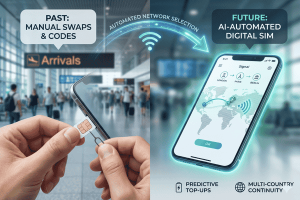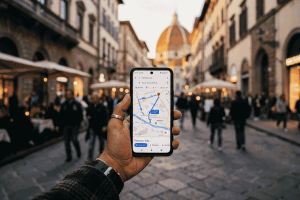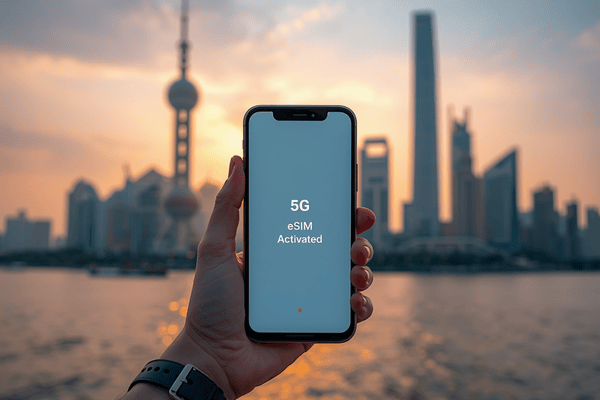
To install an eSIM for Shanghai, simply purchase a plan from Terminal eSIM, scan the provided QR code in your device’s cellular settings, and enable data roaming upon arrival. This process bypasses the Great Firewall, allowing immediate access to global apps like Google and WhatsApp without a separate VPN.
How do I prepare my phone for a Shanghai eSIM?
Before you even pack your bags for Pudong International Airport (PVG), the most important step is ensuring your hardware is ready. In 2026, most flagship devices from Apple, Samsung, and Google are eSIM compatible, but you must verify that your device is carrier-unlocked. If your phone is still under a contract, your local provider may block the installation of a secondary digital SIM.
With Terminal eSIM, preparation is effortless. Unlike local Chinese SIM cards that require passport registration and facial recognition at a physical counter, Terminal eSIM allows you to bypass the red tape entirely. We recommend downloading the Terminal eSIM app while you are still on your home Wi-Fi. This ensures you have 24/7 support at your fingertips and can review your plan details before you lose a stable connection.

What are the 3 steps to install my eSIM Shanghai?
Setting up your connection shouldn’t be harder than navigating the Shanghai Metro. Follow these three streamlined steps to get online:
- Purchase and Receive: Select your preferred Shanghai data plan on the Terminal eSIM website or app. You will instantly receive a confirmation email containing a unique QR code.
- Scan and Label: Go to your phone’s Settings > Cellular (or Mobile Data) > Add eSIM. Use your camera to scan the QR code. Once recognized, label this line as “Shanghai Travel” to keep it separate from your primary home SIM.
- Activate on Arrival: When your flight touches down in Shanghai, toggle the “Shanghai Travel” line to On and ensure Data Roaming is enabled. Your phone will automatically latch onto the fastest local 5G or 4G LTE network.
Which Shanghai eSIM plan is right for me?
Choosing a plan depends on whether you are a casual tourist visiting Yu Garden or a digital nomad working from a café in the French Concession. Terminal eSIM offers flexible tiers with no hidden fees and fast speeds that naturally bypass internet censorship.
| Traveler Type | Recommended Data | Duration | Best For |
| Weekend Visitor | 3 GB | 7 Days | Navigation & WeChat Pay |
| The Explorer | 10 GB | 15 Days | Social Media & HD Video |
| Power User | 20 GB+ | 30 Days | Hotspot & Business Travel |
Why choose Terminal eSIM for China in 2026?
Navigating the digital landscape in China is notoriously difficult due to the “Great Firewall.” Most local connections block Google Maps, Instagram, and even Gmail. However, Terminal eSIM routes your data through international servers, meaning you can post your photos of the Lujiazui skyline to Instagram in real-time without needing a glitchy third-party VPN.
Beyond the technical perks, we offer:
- Easy Activation: No physical SIM cards to swap or lose.
- 24/7 Human Support: If you run into a snag at 3:00 AM in Shanghai, our team is ready to help.
- No Roaming Bill Shock: You pay for what you use upfront. No surprise charges on your home bank statement.
How do I troubleshoot my connection in Shanghai?
If you find yourself without bars after landing, don’t panic. The most common fix is checking your Data Roaming toggle. Because Terminal eSIM uses international routing to provide you with an open internet experience, roaming must be turned on for the eSIM specifically.
If the issue persists, try toggling “Airplane Mode” on and off to force the device to search for the strongest local tower (usually China Mobile or China Unicom). With our 24/7 support, you can also reach out to us via the app or web chat for an instant diagnostic check.
FAQ
Question: Will my Terminal eSIM work with Google and WhatsApp in Shanghai?
Answer: Yes, Terminal eSIM uses international data routing that bypasses the Great Firewall, giving you full access to Western apps without a VPN.
Question: Do I need to submit my passport to activate the eSIM?
Answer: No, unlike local Chinese SIM cards, Terminal eSIM does not require identity verification or passport registration for tourists.
Question: Can I keep my original phone number active for calls?
Answer: Yes, you can keep your physical home SIM active for calls and SMS while using Terminal eSIM exclusively for cellular data.
Question: When should I scan the QR code?
Answer: We recommend scanning the QR code 1–2 days before your flight while you have a stable Wi-Fi connection at home.
Question: Does the eSIM support 5G in Shanghai?
Answer: Yes, Terminal eSIM provides high-speed 5G connectivity across Shanghai, including major hubs like the Bund, Lujiazui, and Xintiandi.
Ready to explore the Paris of the East?
Check our eSIM Shanghai coverage map here.
Stay connected the smart way.
Buy your Terminal eSIM Shanghai plan now and get instant delivery.