Whether you’re navigating with Kakao Maps, sharing your Gyeongbok Palace photos on Instagram, or translating a menu at a local restaurant, a reliable internet connection is your best travel companion. This is where an eSIM for Seoul becomes a game-changer, offering a modern, hassle-free way to stay online from the moment you land.
Forget the stress of hunting for a physical SIM card upon arrival or dealing with expensive roaming charges. An eSIM (embedded SIM) is a digital SIM that lets you activate a cellular plan from a provider without needing a physical nano-SIM. For travelers heading to South Korea, this means you can arrange your data plan before you even leave home. This guide will walk you through everything you need to know about using an eSIM Seoul plan, providing ten essential tips to ensure your connectivity is as smooth and dynamic as the city itself. From choosing the right plan to troubleshooting common issues, we’ve got you covered.
What Exactly is an eSIM and Why is it Perfect for Seoul?
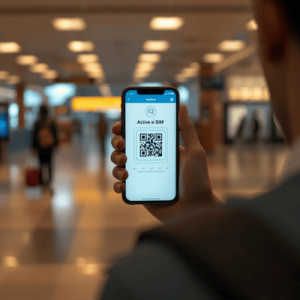
Before diving into the tips, let’s get a clear understanding of eSIM technology. An embedded SIM, or eSIM, is a small chip that is built directly into your smartphone, tablet, or smartwatch. Unlike a traditional physical SIM card that you need to insert and swap, an eSIM can be programmed remotely. You simply scan a QR code or download a carrier profile, and you’re ready to connect to a local network. Most modern smartphones, including recent iPhone and Android models, are eSIM-compatible.
So, why is this technology particularly advantageous for a trip to Seoul? South Korea is one of the most digitally advanced countries in the world, boasting some of the fastest internet speeds globally. The infrastructure is perfectly suited for technologies like eSIM. Using an eSIM Seoul plan allows you to tap into this powerful network instantly.
Here’s a breakdown of the key benefits:
- Convenience: Purchase and set up your data plan before your flight. You can connect to the internet the second you touch down at Incheon International Airport (ICN), without waiting in line at a carrier kiosk.
- Flexibility: An eSIM doesn’t take up your physical SIM slot. This means you can keep your primary number active for calls and texts from home while using the eSIM for affordable local data in Seoul. This dual-SIM capability is incredibly useful for staying connected with family while avoiding roaming fees.
- Cost-Effective: Roaming charges from your home provider can be astronomical. An eSIM plan from a provider like Terminal eSIM offers transparent, prepaid pricing, so you know exactly what you’re paying for. You get local rates without the commitment of a long-term contract.
- Security: A digital eSIM can’t be lost or stolen like a physical card. This adds a layer of security, as your mobile plan is securely stored on your device’s chip.
- Eco-Friendly: By eliminating the need for plastic SIM cards and packaging, eSIMs are a more sustainable choice for environmentally conscious travelers.
In a hyper-connected city like Seoul, where digital payments, navigation apps, and ride-hailing services are part of daily life, an eSIM isn’t just a convenience—it’s a necessity for a smooth and immersive travel experience.

10 Essential Tips for a Flawless eSIM Seoul Experience
Getting the most out of your eSIM Seoul plan is easy when you know the right steps. Following these ten tips will ensure you stay connected effortlessly, letting you focus on enjoying every moment of your trip.
- Check Your Device for eSIM Compatibility First
Before you purchase any plan, the most crucial step is to confirm your phone supports eSIM technology. Most flagship phones released since 2018 have this feature.
- For iPhone: Go to Settings > General > About. If you see a section for “Digital SIM” or “eSIM,” your phone is compatible.
- For Android: The path can vary. Usually, it’s under Settings > Network & Internet > SIMs. Look for an option to “Add eSIM” or “Download a SIM instead.” A quick online search for your specific model and “eSIM compatibility” will give you a definitive answer.
- Purchase Your eSIM Before You Travel
The beauty of an eSIM is the ability to prepare in advance. Buy your eSIM Seoul plan a few days before your departure. This gives you plenty of time to receive the QR code via email, install it, and resolve any potential issues while you still have a stable internet connection at home. - Install Your eSIM, but Wait to Activate
You can install your eSIM profile as soon as you receive the QR code. However, do not activate it until you arrive in Seoul. Most eSIM plans have a set duration that begins upon activation (i.e., when it first connects to the local network). Activating it at home will start the clock early and waste valuable data days. The best practice is to land, turn off airplane mode, and then switch your cellular data line to the eSIM. - Label Your eSIM for Easy Management
If you’re using both a physical SIM and an eSIM, labeling them will save you from confusion. On your phone, you can name your eSIM something clear like “Seoul Data” or “Travel eSIM.” This makes it simple to switch between your primary line for calls and your eSIM for data.
- On iPhone: Go to Settings > Cellular. Tap on the eSIM plan and then Cellular Plan Label to customize it.
- On Android: Go to Settings > Network & Internet > SIMs. Select the eSIM and look for an option to rename it.
- Understand Your Data Needs
Seoul will tempt you to use a lot of data—from streaming K-dramas on the subway to uploading videos of N Seoul Tower. Be realistic about your usage. If you plan to use navigation heavily, stream videos, and make video calls, opt for a larger data package. If you’ll mainly use it for maps and messaging, a smaller plan might suffice. Check Terminal eSIM for a variety of plans that cater to different needs. - Keep Your Primary SIM for Calls and SMS
One of the best features of dual-SIM functionality is keeping your home number active. Set your eSIM as the primary source for cellular data, but keep your home SIM enabled for voice and text. This way, you can still receive important calls or authentication texts without paying for data roaming. Just be sure to disable data roaming on your primary SIM to avoid surprise charges. - Know How to Manually Select a Network
Upon activation, your eSIM should automatically connect to a partner network in South Korea (like SK Telecom, KT, or LG U+). If it doesn’t connect or the signal is weak, you can manually select a network.
- Go to your phone’s cellular settings, select your eSIM plan, and find the Network Selection option.
- Turn off “Automatic” and wait for the list of available networks to appear. Choose one of the partner carriers mentioned in your eSIM instructions.
- Monitor Your Data Usage
Keep an eye on how much data you’ve consumed to avoid running out unexpectedly. Most smartphones have a built-in data tracker.
- On iPhone: Settings > Cellular. Scroll down to see the data used by your eSIM.
- On Android: Settings > Network & Internet > SIMs. Select your eSIM to view data usage.
Resetting these statistics when you activate your eSIM will help you track usage accurately for your trip.
- Have Your QR Code Accessible Offline
Although you’ll likely install your eSIM at home, it’s wise to have a backup of the QR code. Take a screenshot and save it to your phone’s gallery. Better yet, print it out or save it on another device (like a tablet or travel partner’s phone). If you ever need to reinstall the eSIM, you’ll have the code ready without needing an internet connection. - Know Who to Contact for Support
If you run into any trouble, know where to turn. Reputable providers like Terminal eSIM offer customer support. Save the contact information or support page link somewhere accessible. Common issues like a failed connection or slow speeds can often be resolved with a simple network reset or by following a few troubleshooting steps.
Choosing the Best eSIM Seoul Plan: A Comparison
Not all eSIM plans are created equal. When selecting an eSIM Seoul plan, factors like data amount, validity period, and price are key considerations. Here’s a comparison to help you visualize what to look for, using typical offerings you might find.
| Feature | Budget Traveler Plan | Standard Traveler Plan | Power User Plan |
| Data Allowance | 5 GB | 15 GB | Unlimited Data* |
| Validity Period | 7 Days | 15 Days | 30 Days |
| Price Range | $10 – $15 | $25 – $35 | $50 – $65 |
| Network(s) | Access to one major carrier (e.g., SK Telecom) | Access to multiple major carriers | Priority access to all major carriers |
| Hotspot/Tethering | Often not supported | Supported | Supported |
| Best For | Light users for maps, messaging, and occasional browsing. | The average tourist who uses social media, navigation, and some streaming. | Digital nomads, business travelers, or anyone needing constant, high-speed connectivity. |
Note: “Unlimited” plans often have a daily high-speed data cap (e.g., 2-3 GB), after which speeds are reduced. This is usually sufficient for most users.
Key Takeaways from the Comparison:
For a typical week-long vacation in Seoul, a Standard Traveler Plan offers the best balance of data, validity, and price. It provides enough data for daily navigation, social media updates, and even some light streaming without the fear of running out. Budget travelers who are mindful of their usage can find great value in smaller plans, especially if they plan to use Wi-Fi in cafes and hotels. For longer stays or for those who work while traveling, a Power User Plan provides peace of mind with its generous data allowance and extended validity. Terminal eSIM offers a range of options tailored to these different travel styles.
Common Questions and Trends for Seoul Travelers
As eSIMs become more popular, travelers have common questions and concerns. Here, we address some of the most frequent ones and look at current connectivity trends in South Korea.
Frequently Asked Questions (FAQs)
- Can I make phone calls with my eSIM Seoul plan?
Most travel eSIMs are data-only. This means they don’t come with a local phone number for making traditional calls. However, this is rarely an issue. You can use data-based apps like WhatsApp, FaceTime Audio, Skype, or KakaoTalk (the most popular messaging app in Korea) to make calls over the internet for free. - What happens if I use all my data?
This depends on your provider. Some eSIM providers, like Terminal eSIM, allow you to easily top up your plan with more data through their app or website. Others may require you to purchase a new plan. It’s always best to check the top-up policy before you buy. Choosing a plan with a slightly larger data allowance than you think you need is a safe bet. - Can I use the same eSIM for a trip to Japan or other nearby countries?
Many eSIM providers offer regional plans that cover multiple countries. If your trip includes other destinations in Asia, look for a regional Asia plan. This can be more convenient and cost-effective than buying a separate eSIM for each country. Always check the list of included countries before purchasing a regional plan. - What should I do if my eSIM is not working?
Don’t panic! Here are a few quick troubleshooting steps:
- Ensure data roaming is turned ON for your eSIM profile (this is necessary for it to connect to partner networks).
- Check that the eSIM is set as your cellular data line.
- Restart your phone. This simple action resolves most connectivity issues.
- Try manually selecting a network partner as described in Tip #7.
- If all else fails, contact your eSIM provider’s customer support.
Connectivity Trends in South Korea
South Korea is a pioneer in mobile technology. The country has widespread 5G coverage, even in subways and remote areas. By using a modern eSIM Seoul plan, you are tapping into this world-class infrastructure. Public Wi-Fi is also widely available in cafes, shopping malls, and on public transport, which can help you conserve your mobile data.
Your Seoul Adventure Awaits: A Summary
Navigating a dynamic metropolis like Seoul requires a reliable connection. An eSIM provides just that, offering a modern, efficient, and affordable solution for today’s traveler. By moving away from physical SIM cards, you embrace a future of seamless global connectivity. We’ve covered the essentials to ensure your experience is flawless, from verifying your device’s compatibility to choosing a data plan that fits your travel style.
Remember the key takeaways: prepare in advance by purchasing and installing your eSIM before you leave, label your SIMs for clarity, and keep your primary number active for calls while using the eSIM for data. Understand your data needs and don’t hesitate to opt for a slightly larger plan for peace of mind. With these tips, you can avoid the common pitfalls and enjoy uninterrupted service while exploring everything Seoul has to offer. An eSIM Seoul plan is more than just a utility; it’s your key to unlocking a stress-free and deeply connected travel experience.
Stay Connected in Seoul with Terminal eSIM
Your trip to Seoul should be about creating memories, not worrying about connectivity. With Terminal eSIM, you can step off the plane and be online in seconds. Say goodbye to expensive roaming fees and the hassle of searching for a local SIM card. Our reliable, high-speed eSIM Seoul plans are designed for every type of traveler, from the weekend tourist to the long-stay digital nomad.
At Terminal eSIM, we believe in transparent pricing and straightforward solutions. Our plans offer generous data allowances on South Korea’s top-tier networks, ensuring you have the speed you need for navigating, sharing, and connecting. Installation is as simple as scanning a QR code, and our dedicated support team is here to help if you ever need it. Ready to make your Seoul trip seamless? Explore our range of affordable and powerful eSIM plans today.
Visit Terminal eSIM to find the perfect plan for your Seoul adventure!