In a hyper-connected city like Singapore, being offline means missing out on ride-hailing apps, map navigation, and instant restaurant reservations.
Historically, this meant hunting for a kiosk to buy a physical SIM card, fiddling with tiny ejector tools, and hoping you don’t lose your home SIM in the process. Fortunately, technology has evolved. The embedded SIM, or eSIM, has completely changed how travelers connect.
If you are planning a trip to the Lion City, understanding how to use an eSIM is crucial. It’s faster, more secure, and significantly more convenient than traditional methods. In this guide, we will walk you through everything you need to know to get connected instantly upon arrival, ensuring your Singapore adventure starts without a hitch.
The Evolution of Connectivity: Why Choose an eSIM?
Travel connectivity has undergone a massive transformation over the last decade. We went from exorbitant carrier roaming charges to buying local prepaid cards, and now, to the seamless experience of digital SIMs. An eSIM is exactly what it sounds like: a digital SIM card that is already embedded in your phone’s hardware. You don’t need to insert a physical chip; you simply download a data profile, and you are ready to go.
What Makes an eSIM Different?
Traditional SIM cards are physical tokens of identity for cellular networks. They work well, but they are fragile and easily lost. An eSIM eliminates the physical component entirely. It allows you to store multiple carrier profiles on a single device and switch between them as needed. For a traveler, this means you can keep your home number active for important bank OTPs or emergency calls while using a local data plan for affordable internet access.
The Singapore Context
Singapore is a smart nation. It boasts one of the fastest and most reliable mobile networks in the world. Whether you are exploring the Supertree Grove at Gardens by the Bay or taking a business call in the Central Business District, you need a connection that can keep up.
Using a physical SIM in Singapore often requires registration with a passport at a counter, which can mean waiting in long queues at the airport after a tiring flight. With an eSIM, the process is largely digital. You can purchase your plan before you even pack your bags.
Key Benefits for Travelers
- Instant Delivery: No shipping wait times. You receive your QR code or activation details immediately via email.
- Dual SIM Capability: Keep your primary line open for calls and texts while using the eSIM for data.
- Eco-Friendly: No plastic waste from packaging or the card itself.
- Security: Since it’s embedded, it cannot be stolen or swapped out of your phone if the device is lost.
For anyone visiting the region, opting for digital connectivity is not just a trend—it is the most logical choice for efficiency and ease.
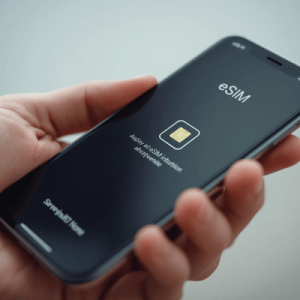

Practical Guide: How to Activate Your eSIM in Singapore
Setting up your connection doesn’t have to be technical or intimidating. In fact, if you can scan a QR code, you can set up an eSIM. Below is a comprehensive guide to getting your eSIM in Singapore up and running smoothly.
Step 1: Check Device Compatibility
Before purchasing a plan, you must ensure your smartphone supports eSIM technology. Most modern flagship phones released after 2018 are compatible.
- iPhone: iPhone XR, XS, and newer models (including SE 2nd Gen).
- Samsung: Galaxy S20 series and newer, plus Fold and Flip models.
- Google Pixel: Pixel 3 and newer.
Tip: You can usually check this in your phone settings under “Cellular” or “Network.” If you see an option to “Add eSIM” or “Add Cellular Plan,” you are likely good to go.
Step 2: Purchase Your Plan
Visit a trusted provider like Terminal eSIM and select a Singapore data package that suits your trip duration and data needs. Once the purchase is complete, you will receive an installation guide, typically involving a QR code.
Step 3: Installation (Before You Fly)
It is highly recommended to install your eSIM before you board your flight. You need a stable Wi-Fi connection for the initial setup.
For iOS Users:
- Go to Settings > Cellular.
- Tap Add eSIM.
- Select Use QR Code and scan the code provided in your confirmation email.
- Label the plan (e.g., “Singapore Travel”) so you can easily identify it later.
For Android Users:
- Go to Settings > Network & Internet > SIMs.
- Tap the plus icon (+) next to SIMs.
- Tap Download a SIM instead?.
- Scan the QR code and follow the prompts to download the profile.
Step 4: Activation (Upon Arrival)
Once you land in Singapore, turn off Airplane Mode.
- Go back into your settings.
- Select your “Singapore Travel” line.
- Toggle Turn On This Line.
- Crucial Step: Ensure that Data Roaming is turned ON for your new eSIM line. Many travelers forget this step!
- Set your eSIM as the primary source for Cellular Data.
Troubleshooting Tips
If you don’t get a signal immediately:
- Restart your phone: This forces the device to search for local towers.
- Check APN Settings: Sometimes, network settings need manual configuration. Refer to your provider’s email instructions for specific APN details.
- Network Selection: Ensure your phone is set to automatically select the network. If that fails, manually select one of the major Singaporean carriers like Singtel, StarHub, or M1, depending on which partner network your eSIM uses.
Comparison: eSIM vs. Pocket Wi-Fi vs. Roaming
Choosing the right connectivity option can be confusing with so many choices available. To help you decide, we have broken down the most common options for travelers visiting Singapore.
Here is a comparison of using a Terminal eSIM versus renting a Pocket Wi-Fi device or relying on traditional carrier roaming.
| Feature | Terminal eSIM | Pocket Wi-Fi Rental | Traditional Carrier Roaming |
| Setup Time | Instant (Digital Setup) | 20–40 mins (Pickup/Queue) | Instant (Automatic) |
| Cost | Low (Prepaid, no hidden fees) | Medium to High (Rental + Deposit) | Very High (Daily fees accumulate) |
| Convenience | High (Nothing to carry) | Low (Extra device to charge/carry) | High (Uses existing SIM) |
| Coverage | Excellent (Local 4G/5G networks) | Good (Dependent on device quality) | Varies (Throttled speeds common) |
| Shareability | Hotspot supported (Phone battery drain) | Excellent (Connects multiple devices) | Low (Hotspot usually restricted) |
| Risk | None (Cannot be lost) | High (fines for damage/loss) | Bill Shock (Unexpected charges) |
Key Insights
For the Solo Traveler or Couple: An eSIM is the clear winner. It is the most cost-effective and least cumbersome option. You avoid the hassle of carrying an extra battery pack for a Wi-Fi egg and don’t have to worry about returning a rental device at the airport before you fly out.
For Large Groups: While Pocket Wi-Fi allows multiple connections, the person holding the device must always be near the group. If the group splits up—say, one person wants to shop at Orchard Road while the other goes to a museum—the person without the device is offline. Using individual eSIMs gives everyone freedom and autonomy.
For Business Travelers: Roaming is easy but notoriously expensive. Carrier roaming packages often throttle speeds after a small daily cap. An eSIM provides full-speed local data at a fraction of the cost, ensuring your video calls and file transfers remain uninterrupted.
Trends, Common Concerns, and FAQs
As travel returns to pre-pandemic levels, the adoption of eSIM technology in Asia has skyrocketed. Singapore is leading this charge, with carriers phasing out 3G networks to bolster 4G and 5G infrastructure. This makes having a modern, compatible device more important than ever.
The Rise of the “Digital Nomad” in Singapore
Singapore is a hub for business and tech. We are seeing a trend where travelers aren’t just visiting for a weekend; they are staying for weeks or months. For these long-term visitors, the flexibility of an eSIM is unmatched. You can easily top up data plans digitally without visiting a store, ensuring you are never disconnected during a Zoom meeting or a Grab ride.
Addressing Common Traveler Anxieties
“Will I lose my WhatsApp number?”
This is the most common fear. The answer is no. When you install an eSIM for data, your WhatsApp, Telegram, and iMessage apps continue to work with your original home number. You don’t need to re-verify or change your account settings.
“What if I travel to Malaysia or Indonesia next?”
Singapore is a gateway to Southeast Asia. Many travelers hop over to Johor Bahru or take a ferry to Batam. With a physical SIM, you’d need a new card for each country. With Terminal eSIM, you can often purchase regional plans that cover multiple countries, or simply download a new profile for the next destination instantly.
Frequently Asked Questions (FAQs)
- Can I make phone calls with an eSIM in Singapore?
Most travel eSIMs are data-only plans, meaning they do not come with a local Singaporean phone number for traditional voice calls. However, you can make calls using VoIP apps like WhatsApp, FaceTime, Skype, or Messenger, which work perfectly over the data connection. - How much data do I really need for a week in Singapore?
For average usage (maps, social media, web browsing, and messaging), 1GB to 2GB per day is usually sufficient. If you plan on streaming 4K video or working remotely, opt for a larger plan, such as 10GB or 20GB total. Singapore has public Wi-Fi in many malls, but it’s not always secure or fast, so reliable mobile data is safer. - Is my phone locked? How do I check?
Your phone must be “carrier unlocked” to use an eSIM from a different provider. If you bought your phone on a contract from a carrier (like AT&T, Verizon, or Vodafone), it might be locked. You must contact your carrier to unlock it before traveling. - Can I install the eSIM after I arrive at Changi Airport?
Yes, Changi Airport offers free Wi-Fi throughout the terminals. You can connect to the airport Wi-Fi to purchase and install your eSIM upon arrival. However, we recommend setting it up beforehand to avoid stress when you land. - Does using an eSIM drain my battery faster?
In general, no. Using an eSIM consumes battery power comparable to a physical SIM. However, if you are in an area with poor signal, your phone works harder to find a connection, which drains the battery. Singapore generally has excellent coverage, so this is rarely an issue.
Summary: Seamless Connectivity Awaits
Navigating a new city should be about exploration, not frustration. We have covered a lot of ground in this guide, so let’s recap the essentials for your trip to the Lion City.
- Preparation is Key: Check if your phone is eSIM compatible and carrier unlocked before you book your flight.
- Go Digital: Skip the queues at Changi Airport. Avoid the hassle of physical SIM cards and rental deposits for Wi-Fi devices.
- Simple Setup: Install your profile at home using Wi-Fi. Activate it the moment you land by turning on “Data Roaming” for your new line.
- Cost-Effective: An eSIM saves you money compared to expensive carrier roaming fees, giving you more budget for Singapore’s world-class dining and shopping.
- Stay Flexible: Keep your home number active for emergencies while using local data for everything else.
Singapore is a city that never stops, and your connection shouldn’t either. By following these steps, you ensure that from the moment you step off the plane, you are connected, oriented, and ready to experience everything this incredible island nation has to offer.
Ready to Connect? Experience Singapore with Terminal eSIM
Don’t let spotty internet or overpriced roaming bills ruin your Singaporean getaway. Whether you are a digital nomad working from a café in Tiong Bahru, a foodie hunting for the best Laksa in Katong, or a business traveler rushing to a meeting at Marina Bay Sands, you need reliability.
Terminal eSIM offers high-speed, secure, and affordable data plans tailored for modern travelers. With instant delivery and seamless activation, you can cross connectivity off your checklist in minutes.
Why struggle with tiny plastic cards or hunt for Wi-Fi passwords? Join thousands of smart travelers who have upgraded their travel experience.
Get your plan today and land connected.