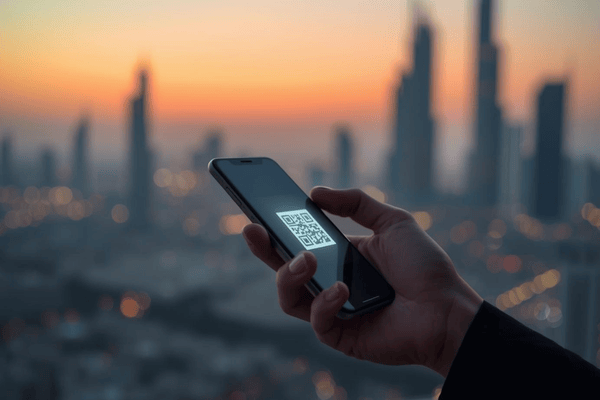
While many travelers still wait until they land to scramble for a local SIM card, savvy travelers are switching to the eSIM Abu Dhabi solution before they even pack their bags.
Getting an eSIM for Abu Dhabi allows you to bypass the long queues at Zayed International Airport (AUH) and avoid the sky-high roaming fees of your home carrier. In this comprehensive guide, we’ll show you exactly how to set up your digital connection with Terminal eSIM, ensuring you have high-speed 5G/4G data the second your plane touches the tarmac.
What is an eSIM and Why Is It Essential for Abu Dhabi?
The travel landscape has shifted from physical plastic to digital pixels. An eSIM (embedded SIM) is a digital version of the traditional SIM card that is already built into your smartphone. Instead of fumbling with a metal tray and a tiny piece of plastic, you simply download a profile to your phone.
The Evolution of Connectivity in the UAE
The United Arab Emirates has always been a hub for technological advancement. For years, the only way to stay connected was to visit a kiosk for a local provider like Etisalat or “du.” However, these local “Tourist SIMs” often come with a catch: they expire quickly, require physical passport registration in person, and can be significantly more expensive than pre-purchased digital plans.
Why Choose an eSIM Over a Physical SIM?
- Dual SIM Capability: You can keep your home SIM active to receive important bank 2FA texts while using your eSIM Abu Dhabi for all your data needs (Instagram, Google Maps, and WhatsApp).
- Instant Delivery: You buy it online and receive a QR code via email instantly.
- Environmental Impact: No plastic waste or shipping required.
- Security: If your phone is stolen, a thief cannot simply remove your SIM card to stop the tracking services from working.
For a smooth transition, we recommend checking out the specialized regional plans at Terminal eSIM, which are designed specifically for the unique network infrastructure of the Middle East.

 United Arab EmiratesUnited Arab Emirates 1GB 7DaysBuy now
USD 6.00
- United Arab EmiratesUnited Arab Emirates 3GB 30DaysBuy now
USD 10.00
- United Arab EmiratesUnited Arab Emirates 5GB 30DaysBuy now
USD 16.20
- United Arab EmiratesUnited Arab Emirates 10GB 30DaysBuy now
USD 25.00
- United Arab EmiratesUnited Arab Emirates 20GB 30DaysBuy now
USD 37.00
- United Arab EmiratesUnited Arab Emirates 50GB 180DaysBuy now
USD 157.50
Practical Guide: How to Secure Your eSIM Abu Dhabi in 4 Steps
Getting your eSIM Abu Dhabi ready before you fly is a straightforward process. Follow these steps to ensure you’re connected before you even leave your living room.
Step 1: Check Device Compatibility
Before purchasing, ensure your phone is “Carrier Unlocked” and supports eSIM technology. Most flagship phones released after 2019 (iPhone 11+, Samsung S20+, Google Pixel 3+) are compatible.
- iOS: Go to Settings > General > About. Look for “No SIM restrictions.”
- Android: Search “IMEI” in your settings; if you see an “eSIM” or “IMEI (eSIM)” slot, you’re good to go.
Step 2: Choose the Right Plan
Not all data plans are created equal. In Abu Dhabi, data usage tends to be higher due to the frequent use of GPS and social media.
- Short Trip (3–5 days): Look for a 1GB or 3GB plan.
- Long Stay (10+ days): A 5GB or 10GB plan is ideal.
Step 3: Purchase and Install
Visit Terminal eSIM and select the UAE/Abu Dhabi plan. Once you complete the checkout, you will receive a QR code.
- Pro Tip: Print the QR code or have it open on another device (like a laptop or a travel partner’s phone) so you can scan it with your primary phone.
Step 4: Activation Strategy
This is the most important part. You should install the eSIM while you still have a stable Wi-Fi connection at home. However, do not set it as your “Primary Data” line until you are on the plane or landing.
- Scan the QR code.
- Label the new line “Travel” or “Abu Dhabi.”
- Upon landing at Zayed International Airport, go to your settings and switch Cellular Data to your new eSIM.
- Ensure Data Roaming is turned ON for the travel line only.
Comparison: eSIM Abu Dhabi vs. Local SIM vs. Roaming
To help you visualize the savings and convenience, here is a breakdown of the connectivity options available for a typical 7-day trip to Abu Dhabi.
| Feature | Terminal eSIM | Local UAE Tourist SIM | International Roaming |
| Price | Affordable (approx. $5–$20) | Moderate ($15–$50) | Very High ($10/day+) |
| Setup Time | 2 Minutes (At home) | 20-40 Minutes (Airport) | Instant |
| Convenience | 10/10 – Fully Digital | 4/10 – Must wait in line | 9/10 – Automatic |
| Network | Top Local Networks | Direct | Home Carrier |
| WhatsApp Calling | Supported (via App) | Often Restricted | Supported |
Key Insights:
- The Hidden Cost of “Free”: Many local carriers offer a “Free 1GB SIM” at the airport. However, these usually expire within 24 hours, forcing you to pay high “top-up” rates the next day.
- Roaming Pitfalls: Your home carrier might charge you $10 per day, but they often throttle your speed after a small amount of data. An eSIM Abu Dhabi plan gives you full 5G/4G speeds without the surprises.
- Reliability: With Terminal eSIM, you are connected to the most robust networks in the UAE, ensuring coverage even if you venture out for a desert safari in Al Dhafra.
Trends and FAQs: Solving Traveler Concerns
The world of travel tech moves fast. In 2026, we are seeing a major trend toward “Multi-Country” eSIMs. If your trip to Abu Dhabi includes a stopover in Dubai or a quick flight to Oman or Qatar, look for regional Middle East plans. These allow you to cross borders without ever losing signal or changing your settings.
Frequently Asked Questions
- Can I make phone calls with an eSIM Abu Dhabi?
Most travel eSIMs are data-only. This is actually a benefit as it keeps costs low. For calling, use data-based apps like WhatsApp, FaceTime, or Skype. If you need a local number to book a restaurant, many services in Abu Dhabi now use WhatsApp for Business anyway!
- Will my WhatsApp number change?
No! This is a common myth. When you install an eSIM, WhatsApp will ask if you want to keep your current number. Always select “Yes” or “Keep”. Your friends and family won’t even know you’ve switched SIMs.
- What happens if I run out of data?
With Terminal eSIM, you can easily top up your plan through the website. You don’t need to install a new eSIM; the extra data is simply added to your existing digital profile.
- Is the network speed good enough for video calls?
Absolutely. Abu Dhabi has some of the fastest mobile internet speeds in the world. As long as you have a 4G or 5G signal, you can stream HD video or conduct Zoom meetings without lag.
Summary of Key Takeaways
Getting an eSIM Abu Dhabi is the most efficient way to handle your travel connectivity in the 21st century. By planning ahead, you avoid the stress of airport kiosks, keep your original phone number active, and save a significant amount of money compared to traditional roaming.
Recap Checklist:
- Verify your phone is unlocked and eSIM compatible.
- Purchase your plan from a trusted provider like Terminal eSIM before you fly.
- Install the profile using Wi-Fi while still at home.
- Activate the data line the moment you land in the UAE.
Final Thoughts: Travel Smarter with Terminal eSIM
Abu Dhabi is a city of the future, from the high-tech Louvre Abu Dhabi to the sustainable architecture of Masdar City. It only makes sense that your travel habits reflect that same spirit of innovation. Don’t let your first memory of the UAE be a frustrating search for Wi-Fi or a massive roaming bill on your return home.
Whether you are a digital nomad needing a reliable connection for work, a frequent flyer who values efficiency, or a family traveler wanting to share every moment of your desert adventure, an eSIM is your best companion. High-speed, secure, and incredibly easy to manage—it’s the ultimate travel hack.
Ready to secure your connection? Browse the best-value eSIM Abu Dhabi plans and more at Terminal eSIM today and start your journey with total peace of mind.
- United Arab EmiratesUnited Arab Emirates 1GB 7DaysBuy now
USD 6.00
- United Arab EmiratesUnited Arab Emirates 3GB 30DaysBuy now
USD 10.00
- United Arab EmiratesUnited Arab Emirates 5GB 30DaysBuy now
USD 16.20
- United Arab EmiratesUnited Arab Emirates 10GB 30DaysBuy now
USD 25.00
- United Arab EmiratesUnited Arab Emirates 20GB 30DaysBuy now
USD 37.00
- United Arab EmiratesUnited Arab Emirates 50GB 180DaysBuy now
USD 157.50