In the past, travelers had to hunt for a physical SIM card kiosk or face exorbitant roaming charges from their home providers.
Today, the savvy way to stay connected is with an esim miami solution. If you want to skip the lines and get high-speed data before you even clear customs, an eSIM is your best friend. In this guide, we’ll show you exactly how to activate your Terminal eSIM in minutes so you can spend less time troubleshooting and more time enjoying South Beach.
What is an eSIM and Why Do You Need One for Miami?
An eSIM (embedded SIM) is a digital version of the traditional plastic SIM card. Instead of physically sliding a chip into your phone, the technology is already built into your device’s hardware. You simply download a “profile” from a provider like Terminal eSIM, and your phone connects to local networks just like a local would.
The Evolution of Travel Connectivity
For decades, international travel meant one of two things: paying $10–$15 a day for “international passes” from your home carrier or juggling tiny plastic SIM cards that were easily lost. The introduction of eSIM technology has revolutionized this. By 2026, most flagship smartphones—including the latest iPhones, Samsung Galaxys, and Google Pixels—are designed with eSIM-first or eSIM-only capabilities.
Why Miami Travelers Love eSIMs
Miami is a fast-paced city. Whether you’re navigating the crowded streets of Wynwood or looking for a late-night spot in Little Havana, you need reliable data. Here is why an esim miami plan is the superior choice:
- Instant Connectivity: You can purchase and install your plan while sitting in your living room or during a layover.
- Cost-Efficiency: Local data rates via eSIM are significantly cheaper than international roaming.
- Security: There is no physical card to steal or lose. If your phone is lost, the eSIM remains tied to your device identity, making it harder for thieves to use your data.
- Dual-SIM Support: You can keep your home number active for emergency texts (like 2FA bank codes) while using your eSIM for all your data-heavy tasks.
 United StatesUnited States 1GB 7DaysBuy now
USD 5.00
- United StatesUnited States 3GB 30DaysBuy now
USD 9.00
- United StatesUnited States 5GB 30DaysBuy now
USD 15.00
- United StatesUnited States 10GB 30DaysBuy now
USD 24.24
- United StatesUnited States 20GB 30DaysBuy now
USD 37.00
- United StatesUnited States 50GB 180DaysBuy now
USD 49.00
Step-by-Step Guide: Activating Your eSIM Miami Plan
Getting your esim miami connection ready is a straightforward process that takes less than five minutes. Follow these actionable steps to ensure a seamless experience with Terminal eSIM.
1. Check Device Compatibility
Before you buy, ensure your phone is “unlocked” and supports eSIM technology.
- On iPhone: Go to Settings > General > About. Look for “Carrier Lock”—it should say “No SIM restrictions.”
- On Android: Search for “eSIM” in your Settings menu. If “Add eSIM” or “SIM Manager” appears, you’re likely good to go.
2. Choose Your Plan on Terminal eSIM
Visit Terminal eSIM and select the United States/Miami plan that fits your trip duration. Whether you’re staying for a long weekend at the Fontainebleau or a month-long remote work stint in Brickell, there’s a data package for you.
3. Scan the QR Code
Once you purchase your plan, you’ll receive an email with a QR code.
- For iOS: Settings > Cellular > Add eSIM > Use QR Code.
- For Android: Settings > Network & Internet > SIMs > Add eSIM.
4. Label Your Lines
To avoid confusion, label your new eSIM as “Travel” or “Miami.” This prevents you from accidentally using your home carrier’s expensive data.
5. Activate Upon Arrival
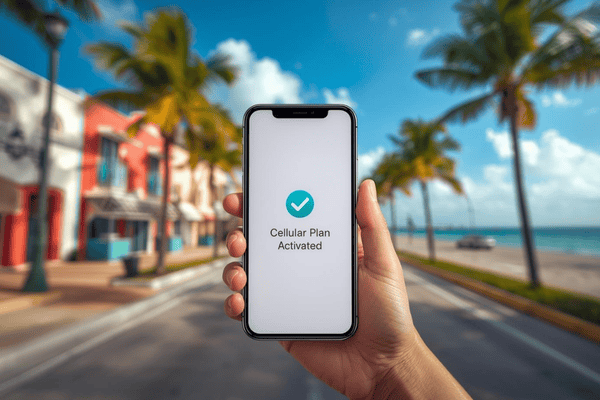
While you can install the eSIM at home, don’t turn on the “Data Roaming” for that line until you land in Miami. Once the wheels touch the tarmac:
- Turn on the eSIM line.
- Toggle Data Roaming ON for the eSIM profile.
- Ensure the “Cellular Data” setting is pointing to your Terminal eSIM.
Pro Tip: If the connection doesn’t start immediately, toggle Airplane Mode on and off for 30 seconds to force the phone to search for the nearest T-Mobile or Verizon tower.
Comparing Miami eSIM Plans and Features
When choosing an esim miami provider, it’s important to look at more than just the price. Coverage, speed (5G vs. 4G), and the ability to use your phone as a hotspot are crucial for a modern vacation.
| Feature | Terminal eSIM (USA Plan) | Local Physical SIM | Home Provider Roaming |
| Activation Time | < 5 Minutes | 30–60 Minutes (in store) | Instant (but expensive) |
| Average Cost | $4.50 – $25.00 | $30.00 + Activation Fee | $10.00 – $15.00 per day |
| Network Quality | 5G / 4G LTE | Varies by provider | Varies (throttled) |
| Hotspot Support | Yes | Sometimes | Often restricted |
| Physical Effort | Digital Only | Must find a store | None |
Key Insights from the Comparison
As the table shows, Terminal eSIM provides the best balance of cost and convenience. While a local physical SIM might offer similar speeds, the “vacation tax” of spending your first hour in a retail store is a high price to pay. Furthermore, many home providers “throttle” (slow down) your data once you hit a small daily limit, whereas a dedicated travel eSIM provides transparent high-speed buckets.
Trends and Troubleshooting for Your Miami Trip
The travel tech landscape is moving toward a “frictionless” model. In 2026, we are seeing a rise in Auto-Switching eSIMs, where your phone automatically selects the best available network between major US carriers like AT&T and T-Mobile. This is particularly useful in Miami, where high-rise buildings in Downtown can occasionally interfere with signal strength.
Common Problems and Solutions
- Problem: “I scanned the QR code but it says ‘Unable to Complete Cellular Plan Change’.”
- Solution: This usually happens due to a weak Wi-Fi connection during installation. Ensure you are on a stable network. If it persists, restart your phone and try again—the profile often installs in the background even if an error message appears.
- Problem: “I have signal bars, but my data isn’t working.”
- Solution: Check if Data Roaming is enabled for the eSIM. Most travel eSIMs require roaming to be “ON” because they are technically roaming on a local partner network.
Frequently Asked Questions (FAQs)
Q: Can I keep my WhatsApp number?
A: Yes! Your WhatsApp, iMessage, and Telegram are tied to your phone number, not your data source. You can use your esim miami data while keeping your original accounts active.
Q: Will an eSIM drain my battery faster?
A: Running two active lines (Dual SIM) uses a marginal amount of extra battery (about 5-10% more), but the convenience of staying connected far outweighs this minor trade-off.
Q: Can I use my phone as a hotspot in Miami?
A: Yes, all Terminal eSIM plans for the USA support mobile hotspots, allowing you to share your data with tablets or laptops.
Summary of Using an eSIM in Miami
To recap, choosing an esim miami solution is the most efficient way to handle your mobile data needs. By opting for a digital SIM, you avoid the high costs of international roaming and the logistical headache of physical SIM cards.
Key takeaways for your trip:
- Verify your device is unlocked and eSIM-compatible.
- Purchase your plan from Terminal eSIM before you depart.
- Install the profile using the provided QR code while you have stable Wi-Fi.
- Activate the line and turn on data roaming as soon as you land at MIA.
With these steps, you’ll be ready to post your first photo from Ocean Drive before you’ve even left the airport.
Get Started with Terminal eSIM Today
Ready to experience Miami without the data stress? Whether you’re a digital nomad heading to a co-working space in Wynwood or a family planning a week of magic in nearby Orlando, Terminal eSIM has you covered. Our plans are designed for the modern traveler who values speed, reliability, and fair pricing.
By choosing Terminal eSIM, you get:
- Global 5G Coverage: Access the fastest networks in the USA.
- Flexible Data Buckets: Pay only for what you need—no hidden fees.
- 24/7 Support: We’re here to help if your activation hits a snag.
- Sustainability: Help reduce the millions of plastic SIM cards that end up in landfills every year.
Don’t let your home carrier dictate your vacation budget. Take control of your connectivity and stay online from the moment you arrive.
Ready to fly? Get your eSIM Miami plan from Terminal eSIM now!
- United StatesUnited States 1GB 7DaysBuy now
USD 5.00
- United StatesUnited States 3GB 30DaysBuy now
USD 9.00
- United StatesUnited States 5GB 30DaysBuy now
USD 15.00
- United StatesUnited States 10GB 30DaysBuy now
USD 24.24
- United StatesUnited States 20GB 30DaysBuy now
USD 37.00
- United StatesUnited States 50GB 180DaysBuy now
USD 49.00