In the past, tourists had to endure long queues at airport kiosks or hunt for local shops to swap out physical SIM cards—a process often fraught with language barriers and the risk of losing that tiny piece of plastic from home.
Thankfully, mobile technology has evolved. The eSIM Indonesia experience has transformed how travelers stay connected. No more paperclips, no more lost SIM cards, and no more exorbitant roaming fees. With an eSIM, you can download your data plan before you even touch down at Ngurah Rai International Airport. This guide will walk you through everything you need to know about activating an eSIM in Indonesia, ensuring you spend less time troubleshooting your phone and more time enjoying a sunset Bintang on the beach.
Understanding the Shift: Why eSIM is the Future of Travel in Indonesia
For years, the standard procedure for any traveler arriving in Indonesia involved the “SIM card shuffle.” This usually meant finding a reputable vendor, handing over your passport for registration (a mandatory legal requirement in Indonesia), and manually inserting a local chip. While effective, this method is increasingly outdated.
An eSIM (embedded SIM) is a digital version of the physical SIM card already built into your smartphone. It allows you to activate a cellular plan from a carrier without having to use a physical card. In the context of Indonesia—a country with over 17,000 islands—staying connected is not just about convenience; it is about safety and navigation.
The Registration Hurdle
One of the most significant advantages of using a dedicated travel service like Terminal eSIM is bypassing the “IMEI Registration” headache. In Indonesia, the government requires all foreign-purchased mobile phones to be registered with the Beacukai (Customs) if they are using a local physical SIM card for more than 90 days. For short-term tourists, this can be a confusing bureaucratic maze.
Why Tourists are Switching
- Convenience: You can purchase and install your plan while sitting in your living room.
- Cost-Effectiveness: Avoid the “tourist tax” often found at airport kiosks where prices are marked up significantly.
- Dual-SIM Functionality: Keep your home number active for 2FA (Two-Factor Authentication) texts while using your Indonesian eSIM for affordable data.
- Security: There is no physical card to lose or be stolen.
As Indonesia continues to digitalize—with apps like Gojek and Grab being essential for transport and food delivery—having immediate data upon arrival is no longer a luxury; it is a necessity.


Step-by-Step Guide: How to Activate Your eSIM Indonesia
Activating your data plan is straightforward, but the timing is key. To ensure a seamless transition, follow these steps to get your eSIM Indonesia up and running.
1. Verify Device Compatibility
Before purchasing, ensure your phone is carrier-unlocked and supports eSIM technology. Generally, iPhone XS and newer, Google Pixel 3 and newer, and Samsung Galaxy S20 and newer are compatible.
- iOS: Go to Settings > General > About. Scroll down to “Carrier Lock.” It should say “No SIM restrictions.”
- Android: Go to Settings > Connections > SIM Card Manager. If you see “Add eSIM,” you’re good to go.
2. Purchase Your Plan
Visit Terminal eSIM and select an Indonesian package that fits your duration and data needs. You will receive a QR code via email instantly.
3. Installation (Done before departure)
It is best to install the eSIM while you still have a stable Wi-Fi connection at home or in your hotel.
- For iPhone: Settings > Cellular > Add eSIM > Use QR Code. Scan the code provided by Terminal eSIM.
- For Android: Settings > Network & Internet > SIMs > Add More > Download a SIM instead. Scan the QR code.
4. Label Your Plans
To avoid confusion, label your primary SIM as “Home” and your new eSIM as “Indonesia” or “Travel.” This helps you manage which line is being used for data and which for calls.
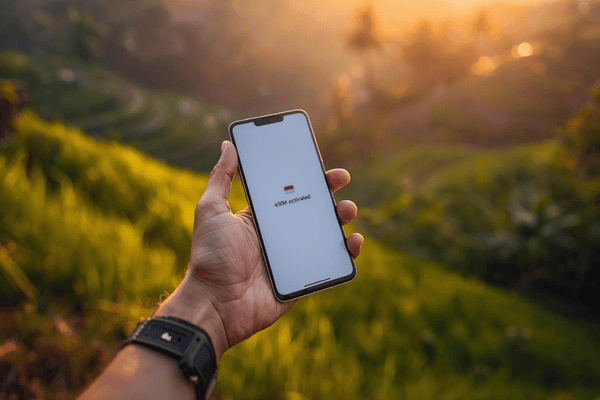
5. Activation Upon Arrival
Once your plane lands in Bali, Jakarta, or Labuan Bajo:
- Go to your Cellular/Network Settings.
- Turn on the Terminal eSIM line.
- Ensure Data Roaming is turned ON for the eSIM (Don’t worry, you won’t be charged by your home carrier as long as the correct line is selected).
- Set the eSIM as the Primary Data source.
6. Troubleshooting Tips
- Restart Your Phone: If the 4G/5G icon doesn’t appear within two minutes, a quick reboot usually forces the device to handshake with the local tower (usually Telkomsel or XL Axiata).
- APN Settings: Most eSIMs configure automatically, but if you have no data, check the setup email from Terminal eSIM for specific APN (Access Point Name) instructions.
Comparing Data Options for Indonesia Travelers
Choosing the right plan depends on whether you are a digital nomad working from a café in Canggu or a backpacker exploring the jungles of Sumatra. Below is a comparison of typical travel data needs.
| Traveler Profile | Recommended Data | Duration | Best Feature |
| Short-term Tourist | 3GB – 5GB | 7 Days | Instant setup for social media and maps. |
| The Explorer | 10GB – 20GB | 15 Days | High data for video uploads and GPS. |
| Digital Nomad | 30GB+ | 30 Days | Reliable backup for Wi-Fi outages. |
| Regional Hopper | Asian Regional Plan | 30 Days | Covers Indonesia, Singapore, and Malaysia. |
Summary of Insights
While local physical SIMs might offer massive data buckets (50GB+), they often come with “local area” restrictions—meaning data bought in Jakarta might not work at full speed in Bali. Terminal eSIM plans are designed for travelers, providing nationwide coverage that utilizes the strongest available network regardless of which island you are on. This eliminates the frustration of “dead zones” caused by regional provider limitations.
Trends, FAQs, and Common Hurdles in Indonesia
The Indonesian telecommunications landscape is shifting toward 5G, especially in major hubs like Jakarta and South Bali. As a tourist, staying ahead of these trends can significantly improve your experience.
The Rise of 5G in Indonesia
Currently, 5G is available in select areas of Bali (Kuta, Seminyak, Nusa Dua) and major cities. When you activate your eSIM Indonesia, your device will automatically hunt for the fastest available signal. Even if 5G isn’t available, Indonesia’s 4G LTE network is robust enough for high-definition video streaming and Zoom calls.
Frequently Asked Questions
Q: Can I make phone calls with my eSIM?
Most travel eSIMs are “Data Only.” This is actually a benefit, as it avoids the need for a complex local registration process. For calling, locals and tourists alike use WhatsApp, which is the primary mode of communication in Indonesia.
Q: What happens if I run out of data?
With Terminal eSIM, you can easily top up your existing plan through the website without needing to install a new eSIM profile.
Q: Do I need to unregister my IMEI?
If you use an eSIM from a provider like Terminal eSIM, you are using a roaming-based architecture. This means you generally do not need to register your phone’s IMEI with Indonesian customs, saving you hours of paperwork at the airport.
Q: Is the connection fast enough for remote work?
Yes. In areas like Ubud and Canggu, speeds are consistently high. However, if you are heading to very remote islands (like parts of Raja Ampat), expect speeds to drop to 3G or 2G levels regardless of your provider.
Summary of Your Indonesian Connectivity Strategy
Staying connected in Indonesia has never been easier. By choosing an eSIM, you bypass the traditional pain points of international travel:
- No more searching for physical stores in unfamiliar cities.
- No more worrying about IMEI registration for short trips.
- Instant connectivity the moment the “Fasten Seatbelt” sign turns off.
The process is as simple as: Check compatibility > Purchase online > Scan the QR code > Enjoy the islands. By handling your connectivity before you leave, you ensure that your first moments in Indonesia are spent breathing in the tropical air, not squinting at a APN settings menu at a kiosk.
Get Started with Terminal eSIM Today
Are you ready to explore the volcanic peaks of Java or the hidden beaches of Sumba? Don’t let a lack of data hold you back. Whether you need to book a ride-share, translate a menu, or share a stunning Instagram story of a sunset, a reliable internet connection is your most important travel tool.
Terminal eSIM offers premium, high-speed data plans tailored specifically for the modern traveler. We prioritize network stability and ease of use, so you can focus on making memories rather than managing megabytes. Our plans are affordable, transparent, and backed by 24/7 support to ensure you are never left offline in a foreign land.
Don’t wait until you land to figure out your internet. Secure your connection now and hit the ground running.
👉 Get your eSIM Indonesia today at Terminal eSIM and travel smarter.