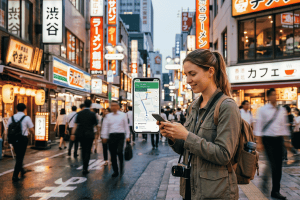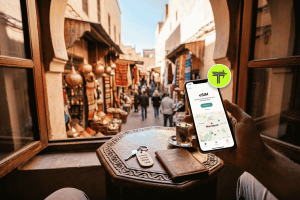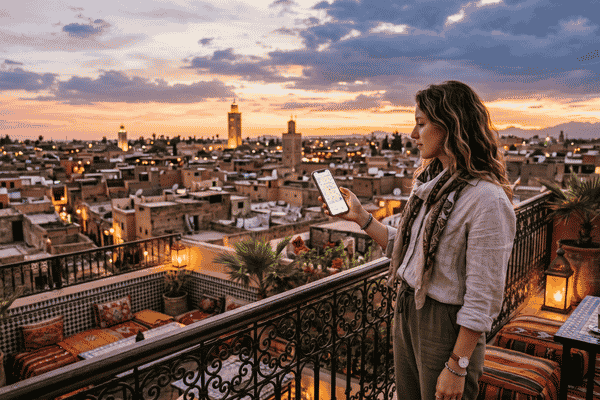
There is nothing quite like the sensory overload of stepping into Morocco. The air smells like roasted cumin and orange blossom, the call to prayer echoes over centuries-old rooftops, and the labyrinthine medinas feel like a beautiful puzzle designed to get you lost.
And trust me, you will get lost.
Whether you are navigating the 9,000 alleys of Fes el-Bali or trying to coordinate a rendezvous point with your driver in the middle of Marrakech’s chaotic Jemaa el-Fnaa, having active data on your phone isn’t a luxury—it’s an absolute safety requirement.
Historically, getting online meant landing after a grueling flight, waiting in a massive queue at a Casablanca or Marrakech airport kiosk, handing over your passport to a stranger, and swapping out your tiny physical SIM card while praying you didn’t drop it into a floor grate.
Thankfully, digital SIM technology has changed the game. But using an eSIM in Morocco comes with its own set of regional quirks, network dead zones, and technical configuration rules that can trip up even experienced travelers.
Having tested multiple networks from the chaotic city centers to the windy dunes of the Sahara, I have compiled 10 practical, real-world tips to help you navigate Morocco with a digital SIM like an absolute pro.
1. Verify Your Device is Unlocked (The Unsexy Step)
Before you even think about purchasing data for your trip, you need to verify two things: your phone supports digital SIM profiles, and it is entirely unlocked by your home carrier.
Most flagship smartphones manufactured after 2020 (like the iPhone 11 and newer, Samsung Galaxy S20 series, and Google Pixels) are fully compatible. However, if you bought your phone on a payment plan or a contract with a carrier back home, they may have placed a software lock on your device that prevents it from activating an alternative data profile.
Give your provider a quick call or check your settings menu to confirm your phone is completely unlocked. There is nothing worse than landing in North Africa only to find out your device actively rejects international data profiles.

2. Buy and Install Your Data Profile Before You Fly
Do not wait until you land at a Moroccan airport to download your profile. Airport Wi-Fi networks in Marrakech and Casablanca can be notoriously slow, temperamental, or completely unresponsive if you don’t have a local number to receive an SMS verification code.
The smoothest workflow is to purchase your profile a day or two before your departure while sitting on your stable home Wi-Fi.
- For Apple Users: Navigate to Settings > Cellular > Add eSIM and scan the QR code provided by your vendor.
- For Android Users: Go to Settings > Network & Internet > SIMs > Add more and follow the prompts.
Once installed, leave the line toggled off until you step onto the plane. This ensures you won’t accidentally burn through your data validity window before your trip even begins.
3. Understand the Local Network Landscape
Morocco’s mobile market is dominated by three main infrastructure operators:
- Maroc Telecom (IAM): The historic state carrier. They possess the undisputed best coverage footprint across the country, especially if you are traveling south into the rural Atlas Mountains or deep into the Sahara Desert.
- Orange Maroc: The second-largest operator. Excellent, blazing-fast 4G (and growing 5G) speeds across major urban hubs like Rabat, Tangier, Casablanca, and Marrakech.
- Inwi: A competitive third operator that works wonderfully in primary cities but thins out significantly in rural areas.
When shopping for an eSIM in Morocco, pay close attention to which local network the provider partners with. Many major global brands like Airalo or Holafly route their data exclusively through the Orange network. This is completely fine if you are doing a quick weekend getaway to Marrakech or a beach trip to Agadir.
However, if your itinerary includes a long road trip through remote desert passes, you want a provider that hooks into Maroc Telecom. Brands like Ubigi or Terminal eSIM offer strategic access to multiple networks, which gives you a major advantage when moving between urban centers and rugged landscapes.
4. Turn On Data Roaming (For the New Profile Only!)
This is the single most common mistake travelers make. Because travel data profiles utilize international roaming agreements to connect you to Moroccan networks, you must enable data roaming for your new profile to work.
The critical step here is isolation. You must turn on data roaming for your travel profile, but ensure it remains strictly turned off for your primary home carrier SIM.
Correct Phone Configuration for Arrival
├── Primary Home SIM: [ON] –> Data Roaming: [OFF] (Avoids massive bills)
└── Travel eSIM: [ON] –> Data Roaming: [ON] (Allows local data)
By keeping your primary home SIM turned on but turning data roaming off, you can still receive important two-factor authentication (2FA) SMS codes from your bank without incurring predatory international data charges.
5. Be Realistic About “Unlimited Data” Hidden Rules
It is incredibly tempting to purchase an “unlimited” data package from big-name providers like Holafly or Saily to avoid worrying about usage. But in the travel tech industry, true unlimited data rarely exists without a catch.
Almost all unlimited travel profiles are bound by a Fair Use Policy (FUP). For example, a plan might give you high-speed 4G data for the first 2 GB or 3 GB of the day, and then silently throttle your speeds down to a crawl (sometimes 128 kbps or 256 kbps) until the clock resets at midnight. At those throttled speeds, even uploading a basic image to social media can become an exercise in extreme patience.
Unless you are planning to stream heavy 4K video on the move, a transparent, fixed-data package (like a 10 GB or 20 GB bucket) is often much more reliable. You get consistent, unthrottled speeds, and you can track your exact usage down to the megabyte.
6. Audit Your Background App Refresh Settings
Moroccan networks are highly capable, but data can disappear rapidly if your phone decides to perform system tasks in the background. Because your phone treats the new profile as a standard cellular connection, it may attempt to run massive cloud backups or app updates while you are out exploring.
To make your data stretch as far as possible, take these preventative measures before stepping out of your riad:
- Turn off Background App Refresh in your phone’s general settings.
- Pause automatic iCloud or Google Photos backups over cellular connections.
- Turn off automatic app store updates.
- Download offline maps of Marrakech, Fes, and Casablanca on Google Maps while connected to your hotel’s Wi-Fi.
7. Know the Limitations: Data-Only vs. Local Numbers
Ninety-five percent of the digital SIM profiles you buy online for Morocco are data-only. They do not come with a local (+212) Moroccan phone number.
For the modern traveler, this isn’t a massive issue. You can still use WhatsApp, FaceTime, and Instagram to call family or text your riad host. However, it does present a couple of minor logistical challenges:
- Ride-Hailing & Delivery Apps: Local apps like Roby or InDrive occasionally require a local phone number to confirm a ride or text a driver.
- Traditional Calling: You cannot make standard cellular phone calls to landlines, like calling a local restaurant to reserve a table or dialing emergency services.
If you absolutely must have a local number, buying a physical prepaid SIM from a local storefront down the street is your best bet. But for the vast majority of tourists, a data-only profile paired with WhatsApp is more than sufficient.
8. Don’t Expect High-Speed Coverage Deep in the Sahara
Morocco has made massive leaps forward in its telecommunications infrastructure, but the laws of physics still apply. If you take a camel trek out into the deep dunes of Merzouga or Zagora, your signal will drop.
You might get a weak 3G or erratic 4G signal near the permanent desert basecamps if they are close enough to a highway tower, but once you are surrounded by nothing but sand, prepare to be offline. Embrace it as part of the experience, and let your loved ones know ahead of time that you will be off the grid for 24 to 48 hours.
9. Keep Your Digital QR Code Accessible
If you ever experience a major software glitch and accidentally delete your cellular profile, or if you need to re-install it on a replacement device, you will need the original QR code provided by your vendor.
Do not leave that QR code buried solely in your email inbox, especially if you can’t access your email without an active internet connection!
Take a quick screenshot of the installation QR code and save it to your phone’s local photo library, print a physical backup copy to slip into your passport wallet, or save it directly to an offline-accessible folder on your device.
10. Consider a Balanced Alternative Like Terminal eSIM
If you are overwhelmed by the sheer volume of choices out there—balancing the high costs of Airalo against the hidden throttling of unlimited providers—consider checking out Terminal eSIM.
What makes Terminal eSIM stand out for a destination like Morocco is its network flexibility. Instead of locking you into a single local operator, it works closely with premium roaming partners to keep you connected to the strongest available signal, whether that is Orange in the heart of Casablanca or Maroc Telecom as you cross the Atlas Mountains.
The pricing is incredibly competitive, the installation takes less than five minutes via a clean interface, and you don’t have to worry about hidden daily data limits ruining your map navigation in the middle of a crowded souk.
Pros and Things to Know: Morocco eSIMs
To help you make an informed decision, here is an honest look at the advantages and limitations of opting for a digital SIM on your Moroccan adventure.
The Pros
- Zero Airport Hassle: Skip the aggressive sales representatives, long queues, and passport registration lines at airport terminal kiosks. You land, toggle a switch, and you are instantly connected.
- Keep Your Home Number Active: Because you aren’t physically removing your original plastic SIM card, you can keep your home number live in the background for important text messages and security alerts.
- No Risk of Lost Parts: Swapping tiny plastic SIM cards on a moving train or a cramped airplane tray table is a recipe for losing your primary card. Digital setup eliminates that risk entirely.
- Easy Top-Ups: If you burn through your data quicker than anticipated while uploading videos of the blue city of Chefchaouen, you can add more gigabytes instantly through an app or website without needing to find a physical phone shop.
Things to Know
- No Traditional Voice Calls: Because these plans are almost exclusively data-only, you cannot make old-school phone calls or send traditional SMS text messages to local Moroccan numbers.
- Slightly Higher Price Per Gigabyte: Local physical SIM cards purchased in city centers can be incredibly cheap (often around 10 dirhams or $1 USD per gigabyte). You pay a slight premium for the convenience of setting up an eSIM beforehand.
- Device Eligibility Requirements: If your device is older or carrier-locked, you cannot use this technology at all.
Real Traveler Scenarios: Which Option Wins?
Scenario A: The Solo Backpacking Explorer
You are spending three weeks taking trains and buses from Tangier down to the Sahara Desert, staying in budget hostels, and navigating deep historical medinas.
- The Verdict: You need maximum coverage. A digital SIM that utilizes the Maroc Telecom footprint is vital here. While local physical SIMs are cheaper, having active data the exact moment your train arrives at a midnight station to pull up a map is invaluable for solo safety.
Scenario B: The Luxury Riad Weekender
You are flying into Marrakech for a four-day luxury stay in a boutique riad, taking pre-arranged private drivers, and spending your time dining in high-end spots in Gueliz.
- The Verdict: An Orange-backed eSIM (like a basic 3 GB or 5 GB plan) is perfect. You will have stellar 4G/5G speeds across Marrakech, and you can rely heavily on your riad’s robust Wi-Fi network in the evenings.
Frequently Asked Questions (FAQ)
Can I buy a local eSIM at Marrakech Airport?
Yes, local providers like Orange and Maroc Telecom have booths at major airports and sell eSIMs, but the process still requires physical passport registration, waiting in lines, and manually scanning codes under pressure. Buying a travel data profile online before you leave home is far faster and less stressful.
Will my WhatsApp number change if I use an eSIM?
No. Your WhatsApp account is tied to your original phone number. When you activate your new data profile, WhatsApp will detect the change and ask if you want to update your number. Simply select “Keep My Existing Number.” All your chats, contacts, and groups will remain exactly the same.
What should I do if my data stops working in Morocco?
First, verify that Data Roaming is enabled specifically for your travel profile line. Second, try toggling Airplane Mode on for 10 seconds and turning it off to force your device to reconnect to the nearest cell tower. Finally, if you are in a rural spot, go to your phone’s network selection settings, turn off “Automatic,” and manually select Maroc Telecom or Orange to see which network offers a stronger local signal.
Final Thoughts
Morocco is an incredible country that rewards the independent, curious traveler. Don’t let your first memory of this stunning destination be a frustrating, exhausting hour spent arguing over phone plan registrations at an airport kiosk.
By picking a reliable data plan from a flexible provider like Terminal eSIM, installing it before you head to the departure gate, and configuring your roaming settings properly, you can walk through customs, step out into the North African sun, and immediately order a ride or look up the nearest mint tea spot without skipping a beat.
Safe travels (Rihla Sa’ida), and enjoy the magic of Morocco!