This scenario can be frustrating, turning the convenience of an eSIM into a travel headache. But don’t worry, you’re not stranded. Most eSIM issues are simple to fix and can be resolved in just a few minutes with the right steps.
This guide is your go-to resource for troubleshooting eSIM problems while traveling. We will walk you through everything from basic checks to more advanced solutions, ensuring you can get your connection up and running smoothly. We’ll explore why these issues happen, provide a step-by-step checklist to fix them, and answer common questions travelers have. By the end, you’ll have the confidence to handle any eSIM hiccup and enjoy the seamless connectivity you expected. Let’s get you back online so you can focus on your adventure.
Understanding eSIM Technology and Why Issues Occur
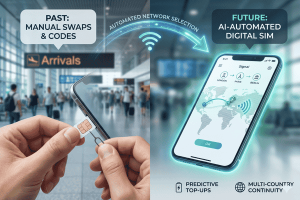
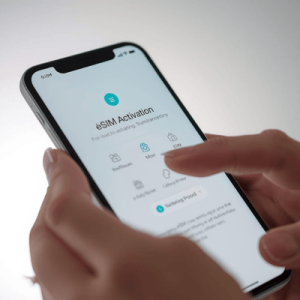
Before diving into troubleshooting, it helps to understand what an eSIM is and why you might encounter problems. An eSIM, or embedded SIM, is a digital version of the traditional physical SIM card. Instead of a plastic chip you insert into your phone, an eSIM is built directly into your device’s hardware. You activate it by installing a digital “profile” provided by a carrier, like Terminal eSIM. This technology allows you to switch between mobile networks without swapping physical cards, making it perfect for international travel.
So, why do things sometimes go wrong? The most common reasons an eSIM fails to connect abroad are related to settings, activation, or network compatibility. For instance, you might have forgotten to turn on data roaming for your eSIM line. Or, the eSIM profile may not have installed correctly. Sometimes, your phone might still be trying to use your primary SIM for data, preventing the eSIM from taking over.
Another frequent issue is network selection. When you arrive at your destination, your phone needs to connect to a local partner network supported by your eSIM provider. If your device is set to manually select a network, it might not find the correct one. Setting it to “Automatic” usually solves this. Finally, APN (Access Point Name) settings can sometimes be the culprit. These settings tell your phone how to connect to the internet on a specific network. While most eSIMs configure this automatically, a manual adjustment is occasionally needed. Understanding these potential roadblocks is the first step toward a quick fix.
A Practical Guide to Fixing Your eSIM Abroad
When your eSIM isn’t connecting, a methodical approach is the best way to identify and solve the problem. Start with the simplest solutions first before moving on to more complex steps. Here is a practical checklist to guide you through the troubleshooting process.
Step 1: Check Basic Settings
These are the most common culprits and the easiest to fix. Go through them one by one.
- Ensure the eSIM is Turned On: Navigate to your phone’s cellular settings and confirm that the eSIM line you want to use is enabled. On an iPhone, this is under Settings > Cellular. On Android, it’s typically under Settings > Network & Internet > SIMs.
- Enable Data Roaming: This is the most frequent oversight. Your eSIM must have data roaming enabled to connect to a partner network in another country. Find this option in your eSIM’s specific settings. Don’t worry about extra charges; eSIM plans are prepaid, so you will only use the data you’ve already purchased.
- Verify Your Data Line: Make sure your phone is set to use the eSIM for mobile data. In your cellular settings, select your eSIM as the primary source for “Cellular Data” or “Mobile Data.”
Step 2: Restart and Reconnect
If the basic settings are correct, a simple refresh can often work wonders.
- Toggle Airplane Mode: Turn Airplane Mode on for about 30 seconds, then turn it off. This forces your phone to re-establish its connection to all cellular networks.
- Restart Your Device: A classic for a reason. A full reboot can resolve many temporary glitches within your phone’s operating system that might be preventing the eSIM from connecting.
Step 3: Manage Network Selection
If you’re still not connected, your phone might be struggling to find the right local network.
- Set Network Selection to Automatic: Go into your eSIM’s settings and find the “Network Selection” option. If it’s on “Manual,” switch it to “Automatic.” This allows your device to automatically find and register on a supported local network.
- Manually Select a Network: If “Automatic” doesn’t work after a few minutes, try the opposite. Toggle “Network Selection” to “Manual” and wait for a list of available networks to appear. Select a network listed in your eSIM provider’s instructions. You may need to try a few different ones.
Step 4: Check APN Settings
If all else fails, your APN settings might need adjustment. The APN acts as a gateway between the local mobile network and the public internet.
- Verify or Add the APN: Check your eSIM installation instructions for the correct APN. The details are usually a single word, like “internet” or “globaldata.” Go to your cellular data settings, find the APN section for your eSIM, and ensure the information is entered correctly. If the field is blank, add the new APN as specified by your provider.
By following these steps, you can resolve over 90% of eSIM connectivity issues and get back to enjoying your trip.
Comparing Connection Solutions for Travelers
Choosing the right connectivity option for travel depends on your needs, budget, and destination. While eSIMs offer incredible flexibility, it’s useful to see how they stack up against traditional options like physical SIMs and international roaming plans from your home carrier. The table below compares these three common solutions.
|
Feature |
Terminal eSIM |
Local Physical SIM |
International Roaming Plan |
|---|---|---|---|
|
Activation |
Instant digital activation via QR code before you travel. |
Requires finding a store, purchasing a card, and swapping it. |
Activated through your home carrier, often with a daily fee. |
|
Flexibility |
Store multiple plans and switch between them easily. |
One plan per SIM card; requires physical swap to change. |
Tied to your home provider; less choice in local networks. |
|
Cost |
Highly competitive and transparent. Pay only for the data you need. |
Generally affordable but can have hidden fees or registration hurdles. |
Often very expensive, with high daily rates or per-MB charges. |
|
Convenience |
Keep your primary number for calls/texts. No physical parts to lose. |
You get a local number but must remove your primary SIM card. |
Convenient but often limited in speed and data allowance. |
|
Coverage |
Global and regional plans covering 190+ countries. |
Limited to the country or region of purchase. |
Coverage depends on your home carrier’s roaming agreements. |
As the comparison shows, Terminal eSIM provides a superior balance of convenience, cost, and flexibility. You can set everything up before you leave home, avoiding the stress of hunting for a SIM card upon arrival. The ability to keep your primary number active for calls and texts while using the eSIM for affordable data is a significant advantage. While a local SIM might be slightly cheaper in some specific destinations, the ease of use and global coverage of an eSIM make it the clear winner for most modern travelers.
Common eSIM Questions and Concerns
Even with a clear understanding of the benefits, travelers often have questions about using an eSIM abroad. Addressing these concerns can help you feel more prepared and confident. Here are answers to some of the most frequently asked questions.
1. Can I use my eSIM and my regular SIM at the same time?
Yes, absolutely! This is one of the key advantages of dual-SIM devices. You can keep your primary physical SIM active for receiving calls and texts on your regular number while using your travel eSIM for all mobile data. This setup gives you the best of both worlds: you remain reachable on your home number without incurring expensive data roaming charges. Just make sure you set your travel eSIM as the primary line for mobile data in your phone’s settings.
2. What happens if I use all my eSIM data?
If you run out of data, your internet connection will stop working. However, with providers like Terminal eSIM, topping up is simple. You can easily purchase another data package directly from the app or website, often without needing a Wi-Fi connection. The new data plan activates on your existing eSIM profile, so you can get back online in minutes without any complicated steps. It’s always a good idea to monitor your data usage in your phone’s settings to avoid running out unexpectedly.
3. Do I need to be connected to Wi-Fi to activate my eSIM?
Yes, you need a stable internet connection (like Wi-Fi) to download and install the eSIM profile onto your device. For this reason, it is highly recommended to install your eSIM before you leave for your trip. This way, you can land at your destination, turn on your eSIM line, and be connected immediately without needing to hunt for free airport Wi-Fi.
4. Will an eSIM work on my phone?
Most smartphones manufactured since 2018 are eSIM-compatible. This includes iPhones from the XS model onward, Google Pixel 3 and later, and many recent Samsung Galaxy devices. However, compatibility can vary by region and carrier model. Before purchasing an eSIM, it’s crucial to check your provider’s list of compatible devices or look in your phone’s settings. On an iPhone, you can check under Settings > General > About—if you see an “EID” number, your phone supports eSIM.
Stay Connected, Stay Prepared
An eSIM is a powerful tool for any international traveler, offering unparalleled convenience and affordability. However, like any technology, it can sometimes present challenges. The key to a stress-free experience is preparation and knowing how to troubleshoot common issues. By understanding the fundamentals of how an eSIM works and having a clear set of steps to follow, you can quickly overcome nearly any connectivity hiccup.
Remember the basics: ensure your eSIM line is on, enable data roaming, and select the eSIM for mobile data. If problems persist, a simple device restart or toggling Airplane Mode can often resolve the issue. For more stubborn cases, checking network selection and APN settings will usually get you connected. With these troubleshooting tips in your back pocket, you can travel with the confidence that a minor technical issue won’t derail your plans. The freedom of instant, affordable data is worth the small learning curve, empowering you to navigate, share, and connect wherever your journey takes you.
Discover a World of Seamless Connectivity with Terminal eSIM
Ready to leave connectivity worries behind on your next trip? Terminal eSIM offers reliable, high-speed data plans for over 190 countries, ensuring you’re always connected. Whether you’re a digital nomad streaming from a cafe in Lisbon, a family sharing vacation photos from Bali, or a business traveler navigating Tokyo, we have a plan that fits your needs. Our simple, instant activation process means you can get set up in minutes from the comfort of your home. No more hunting for physical SIM cards or paying for expensive roaming.
With Terminal eSIM, you get transparent pricing, flexible data packages, and the freedom to use your phone just like you do at home. Enjoy the peace of mind that comes with a stable internet connection for maps, ride-sharing, and staying in touch. Explore our affordable and convenient plans today and make your next international trip the most connected one yet.
Visit Terminal eSIM to find the perfect plan for your adventure!