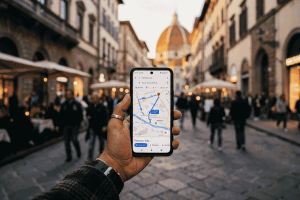
Whether you’re a globe-trotting entrepreneur or planning your very first adventure abroad, this complete guide will show you how to set up your travel data with both Truely and Terminal eSIM. It’s truly simple, fast, and secure—ensuring you’re online from the moment you land.
As the travel landscape moves toward digital-first solutions, eSIM services such as Truely and Terminal eSIM offer flexible, affordable plans to keep you connected anywhere. Let’s break down how these platforms work and how they can transform the way you travel.
The Evolution of Travel Connectivity: What Is an eSIM?
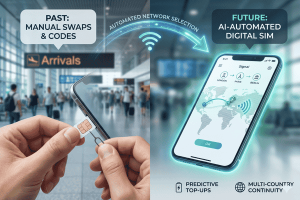
The classic physical SIM card has served travelers for decades, but it comes with hassles: buying local SIMs, swapping cards, and risking loss or damage. The eSIM—an embedded, programmable chip inside your phone or tablet—eliminates these problems. Instead of inserting a card, you simply scan a QR code from eSIM providers like Truely or Terminal eSIM, and your device is ready to go.
Services such as Truely and Terminal eSIM both allow you to manage multiple data plans on a single device. Whether you’re on a work trip in Asia or traveling across Europe for leisure, you can store and switch eSIM profiles with a few taps. For example, you might select a Truely regional data pack for Europe, then activate a Terminal eSIM plan when you travel to North America. No plastic, no language barriers, and no waiting in line—a game changer for modern travelers.
Both Truely and Terminal eSIM emphasize transparent pricing, instant activation, and global coverage. These companies simplify the process of staying connected, helping you avoid the stress of unexpected roaming charges and the limitations of traditional SIMs.
Your Truely Simple Guide to eSIM Setup with Truely and Terminal eSIM
Preparing your eSIM before a trip is quick and straightforward with either Truely or Terminal eSIM. Here’s how you can get connected in a few easy steps, ensuring you’re online wherever you go.
Step 1: Check Device Compatibility
Before you start, confirm that your device supports eSIM technology.
- Apple: iPhone XS, XR, and all newer models.
- Google: Pixel 3 and above.
- Samsung: Galaxy S20 series and up.
Go to your phone’s settings:
- On iPhone: Settings > Cellular > Add eSIM
- On Android: Settings > Network & Internet > SIMs
If you see options to add an eSIM or scan a QR code, you’re ready to go.
Step 2: Browse, Choose, and Purchase
Both Truely and Terminal eSIM have easy-to-use websites:
- Truely: Browse by destination (country, region, or global), select your required data amount, and duration (e.g., 7, 15, or 30 days). Truely’s plans are flexible, with options for light, moderate, and heavy data users.
- Terminal eSIM: Explore similar options with transparent pricing, worldwide coverage, and special deals for frequent or remote travelers.
Compare offers on each site to pick what best suits your trip. Both provide secure online checkout—simply complete your purchase and get ready for the next step.
Step 3: Scan, Install, and Activate Your eSIM
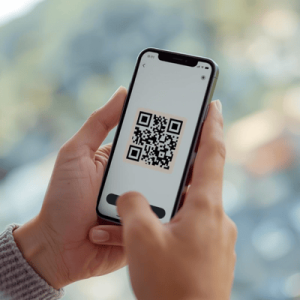
Once you’ve purchased a plan from Truely or Terminal eSIM, you’ll receive a QR code and step-by-step instructions by email.
- Connect to Wi-Fi: Downloading an eSIM profile requires internet access.
- Scan the QR Code:
- On iPhone: Settings > Cellular > Add eSIM and scan.
- On Android: Settings > Network & Internet > SIMs > “Download a SIM instead?” and scan.
- Follow prompts to label and install your eSIM profile, e.g., “Europe Trip” or “Terminal Data.” Both providers recommend completing the installation before leaving home, but waiting to activate until arrival.
Enjoy immediate connectivity and the freedom to use your home number for calls or texts (Dual SIM mode), while using your eSIM for affordable data.
Comparing Connectivity Options: Truely eSIM vs. Terminal eSIM vs. Others
Travelers today can choose between physical SIM cards, international roaming, or digital eSIMs. Truely and Terminal eSIM lead the pack with simplicity, flexibility, and value for money. Here’s a helpful comparison:
| Feature | Truely eSIM | Terminal eSIM | Local SIM Card | International Roaming |
| Activation | Instant online QR code | Instant online QR code | In-person store, physical swap | Carrier toggle |
| Coverage | 190+ countries | 190+ countries | Country/region limited | Varies, typically global |
| Pricing | Clear, flexible, competitive | Transparent, competitive, deals | Varies, hidden fees possible | Often highest cost |
| Convenience | No physical SIM required, Dual SIM | No physical SIM, Dual SIM, easy app | Replace SIM, risk losing home SIM | Easy, but risk bill shock |
| Top Benefits | Multi-country packs, instant top-up | Regional/global packs, special promos | Cheap local rates in one country | No setup while traveling |
Both Truely and Terminal eSIM let you compare and top up plans directly from their websites or apps, offering peace of mind and streamlined travel connectivity.
Trends, Issues, and FAQs: Truely & Terminal eSIM
As eSIM adoption rises, providers like Truely and Terminal eSIM help travelers solve connectivity issues. Here are common concerns—and solutions they offer:
Frequently Asked Questions (FAQs)
Q1: Can I use my home number and my eSIM data plan at the same time?
A: Yes! With most modern devices, you can have your “main” SIM active for calls/texts while your eSIM plan (whether from Truely or Terminal eSIM) provides affordable data.
Q2: What happens if I run out of eSIM data?
A: Both Truely and Terminal eSIM offer instant online top-ups. No need for local shops or waiting—just log in and add data securely.
Q3: Is my phone compatible?
A: Visit Truely or Terminal eSIM support for device lists and compatibility guides. Newer Apple, Samsung, and Google models are almost always eSIM ready.
Q4: Do I need my phone unlocked?
A: Yes, your phone should be “carrier-unlocked” to use eSIMs from any provider, including Truely and Terminal eSIM. Contact your carrier to confirm or unlock your device.
Q5: How do Truely and Terminal eSIM handle customer support?
A: Both offer responsive online support, with live chat, email, and detailed FAQs to resolve setup, troubleshooting, and travel questions fast.
Summary: The Smart Choice for Travelers
Going digital with eSIMs—through Truely and Terminal eSIM—revolutionizes how we connect on the road. The setup is quick: check compatibility, select your plan, scan your code, and go. Dual SIM lets you keep your home number while enjoying global data from either provider. You can top up anywhere, avoid roaming surprises, and pick the best plan for your needs—whether it’s single-country or all-region, light or heavy data.
With growing coverage, privacy controls, and instant activation, Truely and Terminal eSIM make international travel truly stress-free and economical.
Ready to Experience Seamless Connectivity? Explore Truely and Terminal eSIM!
Your adventures should be about discovery, not tech headaches or massive bills. Truely and Terminal eSIM both let you land connected and stay hassle-free across the globe—whether you’re backpacking in Asia, working remotely in Europe, or relaxing on a beach getaway.
Get started in minutes:
- Compare Truely’s plans for flexible, affordable options covering almost every country.
- Explore Terminal eSIM’s plans for great rates, robust global coverage, and exclusive travel deals.
Choose the solution that’s right for you—or combine plans for maximum flexibility. Either way, you’ll unlock instant, reliable data wherever your journey takes you. Start your next trip smarter: visit Truely and Terminal eSIM today!