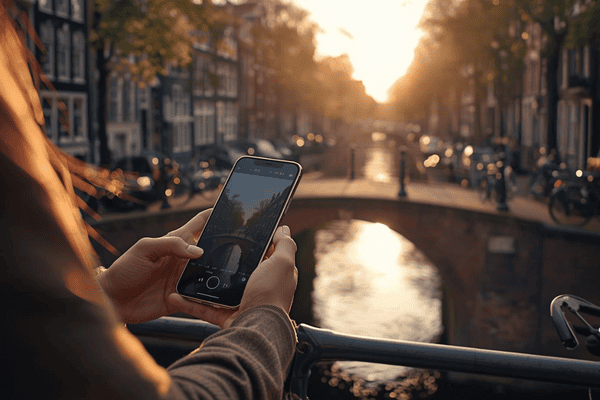
Amsterdam is a city built on connectivity—from its intricate 17th-century canal rings to its status as one of Europe’s most advanced digital hubs. To navigate the winding streets of the Jordaan or tap into the city’s cashless tram system, you need reliable data.
The days of hunting for a physical SIM card kiosk or carrying around a finicky Wi-Fi puck are over. In 2026, the esim amsterdam experience is the gold standard for savvy travelers. An eSIM (embedded SIM) allows you to download a digital data plan directly to your phone, ensuring you’re online the second the cabin door opens. In this guide, we’ll show you exactly how to set up your Terminal eSIM so you can spend less time staring at settings and more time enjoying a patatje oorlog by the Amstel.
Understanding the Shift: Why eSIM is the Future for the Netherlands
Before we dive into the “how,” it’s important to understand why the esim amsterdam market has exploded. Traditionally, travelers had two choices: pay their home provider $10 a day for “travel passes” or buy a local physical SIM. The former is a budget killer; the latter is a logistical nightmare involving paper clips, tiny plastic chips, and the high risk of losing your primary SIM card.
The Digital Transformation of Dutch Connectivity
The Netherlands currently boasts some of the fastest and most reliable mobile networks in the world. As of 2026, 5G coverage in Amsterdam is nearly universal, with providers like KPN and T-Mobile (Odido) offering blistering speeds that support everything from high-definition video calls to real-time translation apps.
An eSIM leverages this infrastructure without the hardware. It is essentially a small chip already soldered into your smartphone’s motherboard. When you buy a plan from Terminal eSIM, you aren’t buying a piece of plastic; you’re buying a digital “key” that tells that chip to connect to a local Dutch network.
Why Amsterdam Travelers Prefer eSIM
- Security: Unlike a physical SIM, an eSIM cannot be removed if your phone is stolen, making it easier to track the device.
- Dual SIM Capability: You can keep your home SIM active for important texts (like 2FA bank codes) while using your eSIM for all data-heavy tasks.
- Sustainability: Amsterdam prides itself on being a “Green City.” By choosing a digital eSIM, you’re eliminating the plastic waste and carbon footprint associated with manufacturing and shipping physical SIM cards.

How to Set Up Your eSIM Amsterdam: Step-by-Step Instructions
Setting up your esim amsterdam connection is a straightforward process that takes less than five minutes. For the smoothest experience, we recommend purchasing and installing your Terminal eSIM a day before your flight.
Step 1: Check Device Compatibility
Before anything else, ensure your phone is “Carrier Unlocked” and eSIM compatible. Most flagship phones released after 2019 (iPhone 11 or later, Samsung S20 or later, Google Pixel 3 or later) support this technology.
- Pro Tip: Dial *#06# on your keypad. If you see an EID number, your phone is eSIM ready.
Step 2: Purchase Your Terminal eSIM Plan
Head over to terminalesim.com and select a Netherlands or Europe regional plan. You will receive an email containing a QR Code and manual activation details almost instantly.
Step 3: Installation (The “At Home” Step)
You need a stable Wi-Fi connection to download the eSIM profile.
For iPhone Users:
- Go to Settings > Cellular (or Mobile Data).
- Tap Add eSIM.
- Select Use QR Code and scan the code provided in your Terminal eSIM email.
- Label the new plan “Travel” or “Amsterdam.”
For Android Users:
- Go to Settings > Connections > SIM Manager.
- Tap Add eSIM or Add Mobile Plan.
- Select Scan Carrier QR Code and follow the prompts.
Step 4: Activation (The “On Arrival” Step)
When your plane touches down at Schiphol:
- Go to your cellular settings and turn the Terminal eSIM line ON.
- Ensure Data Roaming is toggled ON for the eSIM (this is required for many travel eSIMs to connect to local partners).
- Set the Terminal eSIM as your Primary Data source.
Comparison: Terminal eSIM vs. Other Travel Methods
Choosing the right data solution can be overwhelming. Here is a breakdown of how the esim amsterdam experience stacks up against traditional options in 2026.
| Feature | Terminal eSIM | Local Physical SIM | International Roaming |
| Setup Time | < 5 Minutes | 30+ Minutes (In-store) | Instant |
| Cost | Low / Prepaid | Moderate | Very High |
| Network Quality | 5G / 4G LTE | 5G / 4G LTE | Varies (Throttled) |
| Keep Home Number? | Yes (Dual SIM) | No (Must Swap) | Yes |
| Hardware Required | None | SIM Tool / Plastic | None |
Key Insights from the Table
While international roaming is the most “convenient,” it is rarely cost-effective, often costing upwards of $100 for a 10-day trip. Local physical SIMs offer good rates but require you to find a store, wait in line, and potentially deal with language barriers or ID registration. Terminal eSIM strikes the perfect balance by offering local Dutch rates with the convenience of instant, digital-first delivery.
Staying Connected: Trends and FAQs for Amsterdam Travelers
In 2026, Amsterdam has become a “Smart City.” This means everything from renting a Swapfiets bike to checking the waiting time at the Rijksmuseum requires an internet connection. Public Wi-Fi is available in many cafes, but it is often unsecured and painfully slow during peak tourist hours.
Common Problems & Solutions
- The “No Signal” Issue: If your eSIM doesn’t connect immediately, try toggling Airplane Mode on and off. If that fails, check that your APN settings match the instructions provided by Terminal eSIM.
- Battery Drain: Using 5G in a dense city can drain your battery faster. If you aren’t doing high-bandwidth tasks, consider switching your cellular voice & data settings to “LTE” to save power while wandering the canals.
Frequently Asked Questions
- Can I use my eSIM Amsterdam plan in other European countries?
Yes! If you purchase a Europe Regional plan from Terminal eSIM, your data will follow you seamlessly if you take the Thalys train to Paris or the Intercity to Brussels.
- Does the eSIM come with a local Dutch phone number?
Most Terminal eSIM plans are data-only. In 2026, most travelers find this sufficient as apps like WhatsApp, FaceTime, and Telegram are the primary way people communicate in the Netherlands.
- What happens if I run out of data?
You don’t need to buy a new eSIM. Simply log into your Terminal eSIM account and “Top Up” your existing profile. The data will be added to your balance instantly.
Summary of the Perfect Setup
To ensure you have a flawless trip to the Venice of the North, remember these key steps for your esim amsterdam setup:
- Plan Ahead: Buy your eSIM before you leave your house.
- Stay Unlocked: Ensure your phone isn’t tied to a specific carrier.
- Label Your Lines: Use the “Travel” label to avoid accidentally using your home data.
- Use 5G: Take advantage of the Netherlands’ world-class infrastructure for seamless mapping and social media sharing.
With your data sorted, you’re free to explore the hidden gems of Amsterdam—like the secret gardens of the Begijnhof or the bustling food stalls of the Albert Cuyp Market—without ever losing your way.
Experience Amsterdam Like a Local with Terminal eSIM
Traveling is about the moments that take your breath away, not the moments spent hunting for a Wi-Fi password. Whether you’re a digital nomad setting up shop in a cozy cafe in De Pijp or a frequent flyer hitting the museums for a weekend, having a reliable esim amsterdam plan is the ultimate travel hack.
Terminal eSIM is designed for the modern traveler who values speed, security, and simplicity. We provide premium 5G connectivity across the Netherlands, ensuring you have the bandwidth to share every canal-side sunset and navigate every bike path with confidence. Don’t let your connection be the one thing that slows you down.
Ready to explore the Netherlands? Get your Amsterdam eSIM from Terminal eSIM today and stay connected from the moment you land.