
In today’s digital age, staying connected is non-negotiable, and traditionally, this meant hunting for local SIM cards upon arrival, often leading to language barriers, long queues, and potential security risks. Enter the game-changer: eSIM technology. This guide is your ultimate resource on setting up an eSIM for Phuket, ensuring you hit the ground running with reliable, high-speed connectivity the moment you land.
Imagine arriving at Phuket International Airport, stepping off the plane, and instantly having a data connection to book your ride, update your loved ones, or navigate to your accommodation. No more fumbling with tiny physical SIM cards or worrying about losing your original number. This is the convenience that an eSIM offers. In this detailed article, we’ll walk you through everything you need to know, from understanding the basics of eSIM technology to a step-by-step setup guide specifically tailored for your Phuket adventure. We’ll also compare various options, answer frequently asked questions, and show you why Terminal eSIM is your best companion for this journey. Let’s dive in and make your Phuket trip truly unforgettable with hassle-free connectivity.
What is an eSIM and Why is it Essential for Phuket?
An eSIM, or Embedded Subscriber Identity Module, is a digital SIM that allows you to activate a cellular plan without having to use a physical SIM card. It’s built directly into your device, providing a more streamlined and convenient way to manage your mobile connectivity. For travelers visiting Phuket, this technology is not just a novelty; it’s a modern essential.
The Evolution of Mobile Connectivity for Travelers
Traditionally, international travelers had a few sub-optimal choices for mobile data:
- Expensive Roaming: Using your home provider’s roaming service can lead to exorbitant charges that ruin your post-vacation mood.
- Local SIM Cards: Purchasing a local SIM card requires finding a kiosk, potentially facing language barriers, providing identification (a security concern for some), and physically swapping SIM cards. This also means you can’t receive SMS or calls on your primary number unless your phone has dual-SIM capability.
- Pocket Wi-Fi: Renting a pocket Wi-Fi device is an option, but it requires carrying an extra gadget that needs charging, and you must stay within its range.
The eSIM solves these problems by allowing you to download and activate a local data plan before you even arrive or as soon as you land. It’s entirely digital, making the process faster, more secure, and extremely convenient.
Key Advantages of Using an eSIM in Phuket
- Instant Activation: You can purchase and set up your eSIM profile before your trip. The moment your plane touches down in Phuket, your data plan can be activated, giving you immediate access to the internet.
- Cost-Effectiveness: eSIM data plans are often much more affordable than international roaming charges from your home carrier. You can compare and choose a plan that fits your specific needs and budget.
- No Physical Swapping: Say goodbye to carrying a tiny SIM card tool and worrying about losing your primary SIM card. Your physical SIM card can stay safe in your phone, allowing you to keep your main number active for essential calls and texts (depending on your device’s capabilities).
- Environmentally Friendly: Without the need for plastic SIM cards and packaging, eSIMs represent a more sustainable choice.
- Security: If your phone is lost or stolen, an eSIM cannot be easily removed, making it potentially easier to track the device.
For a destination like Phuket, where you’ll want to share stunning photos of Maya Bay, navigate the bustling streets of Phuket Old Town, or book a spontaneous boat tour, having reliable and instant data access is a significant advantage. It enhances your overall travel experience, providing peace of mind and convenience.
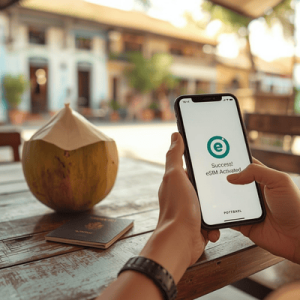

Your Complete Step-by-Step Guide to Setting Up an eSIM for Phuket
Setting up an eSIM is a relatively straightforward process, but it does require following specific steps. This section provides a clear, practical guide to ensure you can use your eSIM in Phuket without any issues. We’ve broken it down into actionable steps, keeping in mind the needs of modern travelers.
Step 1: Ensure Your Device is eSIM Compatible
Before you purchase an eSIM, it’s critical to confirm that your smartphone or tablet supports this technology. Most recent models from major manufacturers do.
- For iPhone Users: Go to Settings > General > About. Scroll down to the DIGITAL SIM section. If you see an IMEI number there, your iPhone is eSIM compatible. Generally, iPhone XS, XS Max, XR, and all models from the iPhone 11 onwards (including the latest iPhone 15 series) support eSIM.
- For Android Users: The location of this information can vary slightly by manufacturer.
- Samsung: Go to Settings > About phone > Status information. Look for EID.
- Google Pixel: Go to Settings > Network & internet > SIMs > Add more. If you see an option to “Download a SIM instead?”, your device is compatible. Pixel 3 and newer models typically support eSIM.
- Other Brands: Check your device’s user manual or the manufacturer’s website. You can often search for “eSIM compatible devices” along with your phone model.
Step 2: Check If Your Device is Network Unlocked
Your device must be network unlocked to use an eSIM from a different provider. If you purchased your phone directly from Apple or a similar manufacturer, it’s likely unlocked. However, if you bought it through a carrier on a contract, it might be locked to that carrier.
To check:
- iPhone: Go to Settings > General > About. Look for Carrier Lock. If it says “No SIM restrictions,” your phone is unlocked.
- Android: There isn’t a universally standard way to check this in settings. The most reliable method is to insert a SIM card from a different carrier and see if it works. Alternatively, contact your current carrier to ask about your lock status.
Step 3: Choose and Purchase Your Terminal eSIM Plan
This is where the excitement begins. Visit Terminal eSIM and browse through the available data plans specifically designed for Thailand. You’ll find options that cater to different durations and data needs.
- Assess Your Data Needs: How much data do you typically use? Are you an Instagram-heavy user, or do you primarily use data for maps and light browsing?
- Select the Plan: Once you’ve chosen the perfect plan, proceed to checkout. You’ll need to provide an email address, as your eSIM activation details will be sent there.
- Check Your Email: Almost instantly after purchasing, you will receive an email from Terminal eSIM containing a unique QR code or a manual installation code. This is your digital key to connectivity.
Step 4: Installation – The Easy Part
You can install your eSIM before you travel, which is highly recommended. The actual data plan won’t typically activate until it connects to the local network in Phuket, so you won’t waste any data.
Installation Using a QR Code (Most Common & Recommended)
- Make sure your device is connected to a stable Wi-Fi network. This is crucial for downloading the eSIM profile.
- Open the email from Terminal eSIM on a computer or another device so the QR code is clearly visible.
- On the phone you intend to use for your trip:
- For iPhone: Go to Settings > Cellular (or Mobile Data) > Add eSIM. Select Use QR Code.
- For Android (Google Pixel): Go to Settings > Network & internet > SIMs > Add more. Choose Download a SIM instead?.
- For Android (Samsung): Go to Settings > Connections > SIM card manager > Add mobile plan > Scan carrier QR code.
- Your camera will activate. Position it to scan the QR code from the email.
- Follow the on-screen prompts to confirm the installation.
Installation Using Manual Codes (If QR Code Doesn’t Work)
- Open the email from Terminal eSIM and locate the manual installation details (typically an SM-DP+ Address and an Activation Code).
- On your phone:
- For iPhone: Go to Settings > Cellular > Add eSIM > Use QR Code. At the bottom of the screen, tap Enter Details Manually.
- For Android: Go to the same eSIM addition menu as above. Look for an option to enter details manually (it’s often small text at the bottom).
- Copy and paste the provided codes into the respective fields.
Step 5: Activation – Upon Arrival in Phuket
Your eSIM is installed, but it needs to be activated to connect to the network in Phuket. You should do this when you land.
- Once you arrive at Phuket International Airport (HKT), go to your phone’s cellular settings.
- Locate the eSIM you just installed. It will likely have a generic name, which you can rename for clarity (e.g., “Thailand Data”).
- Make sure the toggle for this eSIM is set to On.
- Turn on Data Roaming for this specific eSIM. Crucially, ensure Data Roaming is turned off for your primary SIM to avoid unexpected charges from your home carrier.
- Your device will now connect to the local partner network in Phuket. This might take a couple of minutes. Once connected, you’ll see the local carrier’s name in your status bar, and you’ll have immediate access to data.
By following these five clear steps, you’ll have your eSIM for Phuket set up and running, allowing you to focus on the more important things – like exploring the stunning beaches and enjoying delicious Thai cuisine.
Terminal eSIM for Phuket: Plan Comparison and Value
To help you make an informed decision, let’s explore the range of plans available for your Phuket trip. We at Terminal eSIM strive to offer competitive and flexible options tailored to different travel styles. While specific plans can evolve, here’s a sample of what you might find, giving you a clear picture of the value we provide.
Sample Terminal eSIM Plans for Thailand
| Plan Name | Data Allowance | Validity Period | Perfect For |
| Thailand Starter | 1GB | 7 Days | Short trips, light users who only need maps and messaging. |
| Island Explorer | 3GB | 30 Days | A typical two-week vacation with regular social media use and browsing. |
| Phuket Pro | 5GB | 30 Days | Digital nomads, longer stays, or users who stream occasional videos. |
| Ultimate Thai | 10GB | 30 Days | Heavy data users, frequent video callers, or those sharing a hotspot. |
Important Note: The above table is a sample and may not reflect our live offerings. For the most up-to-date and specific plans for your eSIM for Phuket, please visit our country-specific page.
Key Insights and Considerations
- Flexibility is Key: Our plans are designed to be flexible. If you find yourself needing more data during your trip, you can easily top up your plan through our user-friendly platform.
- Transparency: With Terminal eSIM, what you see is what you get. There are no hidden fees or surprise charges. You pay for the data you choose, and that’s it.
- Coverage: We partner with the best network operators in Thailand to ensure wide and reliable coverage across Phuket and beyond. Whether you’re in the busy streets of Patong or on a more secluded beach, you can count on a strong signal.
- Ease of Use: As detailed in our step-by-step guide, the purchase and installation process is entirely digital and incredibly simple. You can complete the entire process in a few minutes from the comfort of your home.
When comparing our offerings with other options like traditional roaming or purchasing local SIMs, the combination of convenience, cost-effectiveness, and reliability makes Terminal eSIM the clear choice for savvy travelers. You’re not just buying data; you’re buying peace of mind and an enhanced travel experience.
Navigating Trends, Tackling Problems, and Frequently Asked Questions about eSIMs
The world of mobile technology is rapidly evolving, and eSIMs are at the forefront of this change for travelers. Understanding current trends and common pain points can help you make the most of your eSIM in Phuket.
Key eSIM Trends for Travelers
- Increased Adoption: The number of eSIM-compatible devices is growing exponentially, from entry-level smartphones to high-end laptops and tablets. This means more travelers can benefit from this convenient technology.
- Dynamic Data Plans: eSIM providers are becoming more sophisticated, offering tailored plans based on specific travel destinations, durations, and even usage patterns. This personalization ensures you only pay for what you truly need.
- Multi-SIM Management: New phone models are making it easier to manage multiple eSIM profiles simultaneously. You could have your primary number, a work eSIM, and a travel eSIM all active at the same time.
Common Problems and Solutions
- Problem: I’ve lost my QR code.
- Solution: Don’t panic. Simply check your email inbox and spam folder for the confirmation email from Terminal eSIM. If you still can’t find it, log in to your Terminal eSIM account or contact our support team, and we can easily resend it.
- Problem: My device can’t scan the QR code.
- Solution: This is rare but can happen due to poor lighting or camera issues. In this case, use the manual installation method. The necessary details (SM-DP+ Address and Activation Code) are always included in your confirmation email.
- Problem: I’m not getting data after activation.
- Solution: First, ensure that Data Roaming is turned ON for your eSIM profile. Also, check that the eSIM is set as your default line for cellular data. Sometimes, a simple restart of your device can resolve connectivity issues. If problems persist, our support team is available to help.
Frequently Asked Questions (FAQs)
Q1: Will my primary phone number still work?
A: Yes, in most cases. If your phone has dual-SIM capability, you can keep your primary physical SIM card active. You’ll still be able to receive calls and text messages on your main number. However, make sure your primary carrier’s data roaming is turned off to avoid unwanted charges.
Q2: When does my eSIM plan validity period start?
A: For Terminal eSIM plans for Thailand, the validity period usually starts from the moment your phone connects to the local network in Phuket. This means you can purchase and install the eSIM in advance, and the timer won’t start until you actually begin your trip.
Q3: Can I make traditional phone calls with my Terminal eSIM?
A: Our eSIMs for Thailand are primarily data-only plans. You won’t have a traditional local phone number to make and receive calls. However, you can use data-based services like WhatsApp, FaceTime, Skype, and Google Voice to make calls over the internet.
Q4: What happens if I use up all my data?
A: No worries! You can easily log in to your Terminal eSIM account and purchase a data top-up to stay connected for the rest of your trip. You’ll receive a notification when your data is running low.
The Definitive Summary: Why Your Phuket Adventure Needs a Terminal eSIM
Phuket is an island of unforgettable experiences, from the iconic limestone cliffs of Phang Nga Bay to the intricate architecture of Wat Chalong. In this digital era, having reliable and instant connectivity is the key to unlocking the full potential of your trip. It’s no longer just about maps and navigation; it’s about sharing moments, staying in touch, and accessing real-time information that enhances every aspect of your journey.
We’ve covered everything you need to know about setting up an eSIM for Phuket: understanding the technology, a clear five-step installation and activation guide, a glimpse into our competitive plans, and answers to your most common questions. The benefits are clear:
- Instant Internet Access from the moment you land.
- Significant Cost Savings compared to roaming.
- Unmatched Convenience with an entirely digital process.
- The Ability to Keep Your Primary Number Active on dual-SIM devices.
- Robust Support to ensure your experience is smooth.
Choosing a Terminal eSIM means you’re not just getting a data plan; you’re gaining a trusted technology partner dedicated to making your travel seamless. We’re here to remove the complexities of connectivity, leaving you free to immerse yourself in the beauty of Phuket. Don’t let communication hurdles hold you back from the trip of a lifetime. Experience the ultimate freedom and convenience of a fully connected Phuket adventure with Terminal eSIM.
Ready for Phuket? Stay Connected with Terminal eSIM
Your dream trip to Phuket is finally here, and ensuring you have seamless, reliable, and affordable connectivity is the final piece of the puzzle. Imagine the peace of mind that comes from knowing you have a high-speed data connection waiting for you the moment you arrive. No more searching for local kiosks, dealing with physical SIM cards, or worrying about exorbitant roaming bills. This is the convenience we offer.
For digital nomads, the ability to work from anywhere on the island is a game-changer. For frequent flyers, the hassle-free nature of a multi-country or regional plan is a welcome relief. And for every traveler, the simple joy of sharing a stunning sunset photo or navigating a new place with ease is invaluable. We at Terminal eSIM are committed to providing you with the best connectivity solutions. Our platform is intuitive, our plans are transparent, and our customer support is second to none.
Don’t wait until you land in Phuket to figure out your data situation. Be prepared, be proactive, and make the smart choice for your travel communication needs. Explore our range of tailored Thailand eSIM plans today and find the one that perfectly fits your itinerary. With Terminal eSIM, you’re not just buying a digital product; you’re investing in a superior travel experience. Stay connected, stay informed, and make the most of every single moment in paradise.
👉 Ready to unlock seamless connectivity for your trip? Click here to explore and purchase your Terminal eSIM plan for Phuket now!